
When you’re sending files that contain sensitive business information, regular cloud storage won’t cut it. Secure file sharing software handles the encryption, storage, and transmission of your digital files while keeping tight controls on who sees what—and it’s built from the ground up with data protection in mind.
Think about the difference between mailing a postcard and sending a sealed letter in a locked box. Consumer tools like Dropbox and Google Drive? They’re basically postcards. Anyone handling them along the way can peek at the contents. A secure file sharing platform, on the other hand, wraps everything in AES-256 encryption, lets you set granular permissions for each recipient, and tracks every single interaction with your files in detailed logs.
Here’s what separates basic file sharing from truly protected file sharing: the approach to data security. Most standard tools focus on making things easy and accessible. They’ll store your files in a readable format (or with light encryption that the provider can unlock), use simple password protection, and call it a day.
Secure file sharing software takes the opposite approach. Your files get encrypted before they leave your device and stay encrypted on the server. You need multiple factors to authenticate (not just a password). Administrators can define exactly what each person can do—view only, download, edit, share with others. And every action gets recorded with timestamps and user IDs for compliance audits.
The encryption alone makes a massive difference. AES-256 for stored files and TLS 1.3 during transmission means your data stays scrambled and unreadable to anyone without the decryption key. Even if someone intercepts the transfer or breaks into the storage servers, they get useless ciphertext.
For authentication, we’re talking about biometric scans, physical security keys, or time-sensitive codes from authenticator apps—not just “Password123.” These platforms verify identity before granting access to anything.
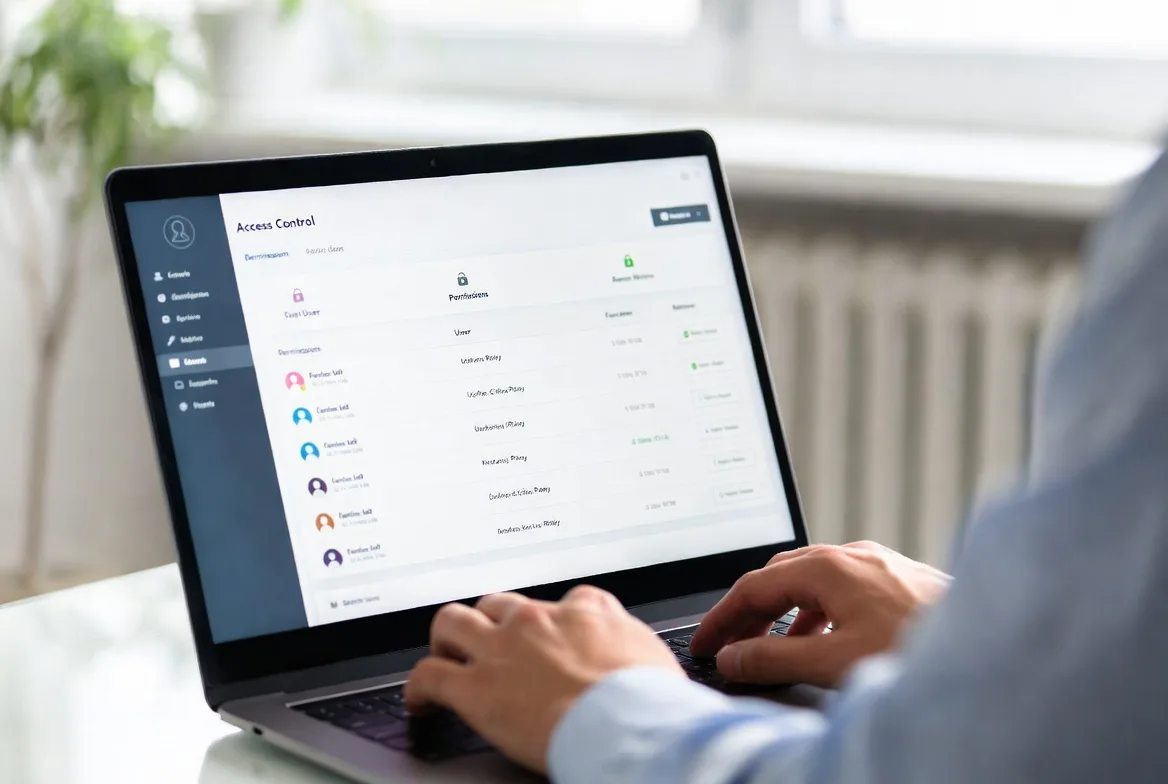
Permission controls let you get surgical with access rights. Maybe Sarah can view and download files from the Q4 folder but can’t share them externally. Tom can edit documents in real-time but can’t delete anything. Lisa needs full control including permission management. Some systems even support attribute-based controls, where access depends on factors like what device you’re using, where you’re connecting from, and what time it is.
Audit capabilities track everything. Who uploaded that contract? When did they download it? Did anyone share it outside the team? You’ll have answers to all these questions with exact timestamps.
A dental office sharing X-rays and treatment plans faces completely different risks than a marketing team swapping logo concepts. Secure platforms build their entire architecture around these distinct threat models and regulatory requirements rather than treating all files the same.
How Secure File Sharing Works
The moment you upload a file, encrypted file sharing platforms break it into chunks and encrypt each piece separately using AES-256 before anything leaves your computer. These encrypted blocks travel over TLS-secured connections to the storage infrastructure, where they remain scrambled until an authorized user requests access.
There are two main approaches to encryption:
Client-side encryption does all the work on your device before upload. Your encryption key never touches the provider’s servers, which means they literally cannot decrypt your files even if compelled by law enforcement. Zero-knowledge architecture provides maximum security but makes certain features impossible—the server can’t search inside documents or generate preview thumbnails since it can’t read the contents.
Server-side encryption waits until files reach the provider’s infrastructure before encrypting them. This requires trusting the provider with your encryption keys, but it enables useful functionality like content search and virus scanning. Most enterprise platforms store these keys in specialized hardware security modules physically separated from the application servers.
Authentication typically requires multiple steps. You’ll log in with credentials, then prove your identity through a second factor—maybe a six-digit code from Google Authenticator, a push notification to your phone, or a tap on a hardware security key. For particularly sensitive files, platforms can demand step-up authentication even if you’re already logged in.
Permissions control what happens after authentication. Basic models offer read-only, edit, or full control. More sophisticated setups let you create custom permission sets where someone might download files but not print them, view documents but not share them, or make edits that get tracked with full revision history.
Secure file transfer protocols ensure data moves safely between systems. Web uploads use HTTPS. Automated transfers use SFTP (SSH File Transfer Protocol). Business-to-business exchanges might use AS2 or AS4 protocols. All of these authenticate both sender and receiver, encrypt the data stream, and verify nothing got corrupted during transmission.
Activity logs capture metadata about every file operation: which user accessed what file, when they did it, from which IP address and device, what actions they performed, whether those actions succeeded. Advanced platforms analyze these patterns to spot anomalies—like when someone suddenly downloads 500 files at 2 AM on a Saturday from an unusual location.
The beauty of modern secure cloud file sharing is that all this complexity stays hidden. You drag files into a browser window or sync folder. Behind the scenes, the platform handles encryption, secure transmission, access verification, and audit logging. It just works—until an administrator needs to investigate something suspicious or prove compliance during an audit.
Encryption is the foundation of data security, but its effectiveness depends on how well access and identity controls are implemented.
National Institute of Standards and Technology (NIST)
Key Security Features to Look For
End-to-End Encryption vs. At-Rest Encryption
End-to-end encryption (E2EE) means your file gets scrambled on your device and stays scrambled until the intended recipient unlocks it with their key. The service provider stores only encrypted gibberish and can’t access your actual content. This protects against provider breaches, government subpoenas, and dishonest employees.
The downside? You lose functionality. The provider can’t scan files for viruses since they can’t read them. No thumbnail previews. No searching inside documents. And if you lose your encryption key, your data is permanently gone—no password reset process can recover it.
At-rest encryption scrambles files once they reach the provider’s servers but gives the provider the ability to decrypt them for processing. This enables malware scanning, document previews, and full-text search. The provider manages encryption keys, typically in hardware security modules isolated from regular application servers.
Most encrypted file sharing platforms offer both options. Healthcare organizations handling patient records usually choose E2EE despite the functional limitations. Marketing teams working with campaign assets often prefer at-rest encryption for the better user experience.
Some platforms split the difference—they use E2EE for metadata like filenames, folder structures, and sharing settings, but at-rest encryption for file contents. This balances security with usability, though you need careful implementation to prevent metadata from leaking sensitive information.
Compliance Certifications and Standards
Certifications prove that independent auditors verified a platform meets specific security and privacy requirements. For secure file sharing solutions, key certifications include:
SOC 2 Type II validates that a provider maintains proper controls around security, availability, processing integrity, confidentiality, and privacy over at least 12 months. Look for reports covering all five trust service criteria, not just security alone.
ISO 27001 certification confirms the provider maintains documented security policies, conducts regular risk assessments, and implements appropriate controls. It’s an international standard for information security management that requires ongoing compliance monitoring.
FedRAMP authorization is mandatory for platforms serving U.S. federal agencies. The three authorization levels—Low, Moderate, and High—indicate what sensitivity of government data the platform can handle. Most commercial use cases only need Moderate authorization.
GDPR compliance matters if you handle data from EU residents. Compliant platforms provide data processing agreements, support data subject rights (like access requests and deletion), and implement privacy-by-design principles in their architecture.
Don’t assume certifications guarantee perfect security. A SOC 2 certified provider can still get breached if they fail to follow their documented procedures. Request actual audit reports when possible, not just certification badges on the website.

Access Controls and Permission Management
Granular access controls determine who interacts with your files and what they can do with them. Basic platforms offer folder-level permissions. Enterprise solutions support file-level, field-level, and even content-based restrictions.
Role-based systems assign permissions to job functions rather than individual people. Create a “Finance Team” role with access to budget spreadsheets. Add new accountants to that role, and they automatically inherit appropriate permissions without manual configuration for each person. This drastically simplifies administration when you have dozens or hundreds of users.
Attribute-based systems evaluate multiple factors before granting access: user’s department, file classification level, current time, device security status, network location. You might create a policy allowing financial report access only from corporate networks, during business hours, on company-managed devices. Someone accessing from home on a personal laptop gets blocked even with valid credentials.
Time-limited access automatically expires permissions after a set period. Share a contract for review with seven-day access, and the link dies automatically without you remembering to revoke it. This prevents forgotten shares from becoming permanent security holes.
Watermarking and download restrictions protect against authorized users misusing files. Watermarks embed user identifiers in viewed documents, which deters unauthorized redistribution since any leaked copy traces back to the source. Download blocks allow in-browser viewing while preventing local copies.
The most effective approach layers multiple controls. A law firm might use roles to give case team members access to client folders, require access from managed devices on the firm’s VPN, and watermark all viewed documents. If something leaks, they can trace it back through the watermark and audit logs.
Industry-Specific Requirements
Healthcare organizations dealing with patient information must comply with HIPAA regulations. HIPAA compliant file sharing demands several specific features:
You need business associate agreements (BAAs) with the platform provider accepting liability for PHI protection. All patient information must stay encrypted both during transmission and while stored. Access controls need to restrict PHI to only authorized personnel based on minimum necessary standards. Audit logs tracking every PHI access must be retained for at least six years. And you need documented breach notification procedures for unauthorized disclosures.
A medical practice sharing patient records with specialists needs platforms that automatically offer BAAs, generate encrypted email links that don’t expose PHI in the URL, and implement configurable retention policies that delete files after treatment concludes. Many healthcare providers also insist on physical servers located within the United States to avoid complications around international data transfers.
Legal firms protect attorney-client privilege and work product doctrine. Secure document sharing for legal work requires:
Ethical walls that prevent conflicts of interest—if the firm represents opposing parties in different cases, lawyers can’t accidentally access each other’s confidential files. Version control with complete document history showing every change. Privileged document tagging with automated redaction tools. Chain of custody documentation for litigation holds. And integration with case management systems lawyers already use.
Financial services firms face SEC, FINRA, and banking regulations demanding:
Immutable audit trails proving records haven’t been tampered with after creation. Retention policies maintaining documents for required periods (often seven years or longer). Encryption meeting FIPS 140-2 government standards. Disaster recovery capabilities with defined recovery time objectives.
Investment advisors sharing portfolio information with clients need platforms that automatically archive all communications, prevent unauthorized alterations to historical records, and survive regulatory examinations without compliance violations.
Enterprise organizations prioritize integration with existing security infrastructure:
Single sign-on through SAML or OpenID Connect so users access the platform with their existing corporate credentials. Integration with mobile device management platforms to enforce security policies on phones and tablets. Data loss prevention policy enforcement preventing sharing of sensitive information like credit card numbers. And security information and event management integration to feed file access events into centralized monitoring systems.
A Fortune 500 company wants file sharing that works seamlessly with their Microsoft Active Directory, enforces corporate DLP policies automatically, and sends security events to their Splunk SIEM for centralized visibility.
Secure File Sharing vs. Traditional Methods
| Method | Encryption Level | Compliance Support | Access Control | Audit Capabilities | Ease of Use | Typical Cost |
|---|---|---|---|---|---|---|
| Secure File Sharing Platform | AES-256 client-side or server-side; TLS 1.3 during transfer | SOC 2, HIPAA, GDPR, ISO 27001 certifications | Detailed role-based and attribute-based controls with expiration | Full activity logs with long-term retention | Moderate learning required; available on web and mobile | $10-50 per user monthly |
| Email Attachments | TLS during send (if both sides support it); typically none for storage | Violates most compliance frameworks | Only recipient’s email security; no ability to revoke | Basic email server logs; no file-level tracking | Completely familiar; works everywhere | Bundled with email service |
| FTP/SFTP | SFTP adds encryption; standard FTP sends everything unencrypted | Requires extensive manual configuration for compliance | Username and password; limited granular control | Minimal connection logs only | Requires technical knowledge and specialized software | $50-500 monthly for server hosting |
| Consumer Cloud Storage | Provider manages keys; no client-side encryption | Not built for regulated industries | Share folders with view or edit rights | Basic activity feeds; limited retention periods | Extremely familiar interface | $10-20 per user monthly |
| Physical Media (USB) | Only if user manually encrypts files | Creates major compliance documentation gaps | Physical possession means full access | None unless someone manually documents transfers | Simple physical handoff; impossible to track | $5-20 per USB drive |
Email remains how most people share files despite glaring security problems. Your message bounces through multiple mail servers, each potentially keeping copies without encryption. Once you hit send, you can’t revoke access or track whether the recipient forwarded it to unauthorized people. Research from 2025 showed that 68% of email-based data breaches happened because someone typed the wrong email address.
FTP dates back to 1971, long before anyone worried about internet security. Standard FTP transmits your username, password, and files in plain text visible to anyone monitoring the network. SFTP adds encryption but requires technical skills to configure properly. Neither protocol provides the granular permissions or detailed audit trails that compliance frameworks require.
Consumer cloud services like Dropbox and Google Drive prioritize convenience over security. They encrypt files on their servers but keep the decryption keys, meaning the provider (and potentially law enforcement with warrants) can access your data whenever they want. Shared links often stay active forever unless you manually revoke them, and free accounts usually lack comprehensive audit logging.
Physical media creates different problems. USB drives get lost in taxis, stolen from conference rooms, or infected with malware. Tracking who accessed which files requires manual logging that almost never happens in practice. Some organizations ban USB drives completely, but employees still use them anyway, creating shadow IT risks outside official policies.
Secure file sharing platforms address all these shortcomings through purpose-built security architecture. Yes, they cost more—but that price reflects the engineering investment in proper encryption, access controls, compliance certifications, and audit capabilities that traditional methods simply don’t provide.
Common Security Risks and How to Avoid Them
Data breaches happen when attackers gain unauthorized access to storage systems. A major cloud provider suffered a breach in 2024 that exposed 2.3 million customer files because someone misconfigured access controls. You can avoid similar disasters by:
Enabling every available authentication factor—passwords plus MFA plus device verification. Restricting access by IP address range when your team works from known locations. Regularly reviewing permissions and removing access for people who no longer need it. Encrypting your most sensitive files with additional client-side encryption before upload as a second layer of protection.
Unauthorized access occurs when legitimate users exceed their authorization. An employee downloads the entire customer database before resigning. A contractor pokes around in project files outside their scope. You can mitigate these risks through:
Least privilege principles—only grant the minimum permissions someone needs for their job. Time-limited access for external collaborators that expires automatically. User behavior analytics that flag unusual patterns like downloading 50 files in 10 minutes. Watermarking to identify the source if documents leak.
Phishing attacks trick users into revealing credentials or downloading malware. An attacker builds a fake login page that looks identical to your file sharing platform and harvests usernames and passwords. Defend against this by:
Training users to verify URLs carefully before entering credentials. Requiring hardware security keys that won’t work on phishing sites (they verify the domain cryptographically). Implementing conditional access policies that block logins from suspicious locations or devices. Using email authentication standards (DMARC, SPF, DKIM) to prevent attackers from spoofing your domain.
Insider threats involve authorized users intentionally stealing or sabotaging data. A disgruntled administrator deletes critical files right before leaving. A sales representative copies the entire customer list to sell to a competitor. Counter these risks with:
Separation of duties so no single person controls all security functions. Immutable audit logs stored separately from the main system where admins can’t tamper with them. Automated alerts for bulk downloads or unusual access times. Regular access reviews that remove permissions immediately when employees leave.
Insecure sharing practices create vulnerabilities even with secure platforms. Users pick weak passwords, share login credentials with colleagues, or create public links to confidential files. Enforce better security through:
Password complexity requirements and rotation policies. Explicitly prohibiting credential sharing in your terms of service and employment agreements. Disabling public link creation entirely for files classified as sensitive. Automated scanning that detects exposed credentials in uploaded files.
A financial services firm implemented all these controls after a 2023 incident where an employee tried emailing customer data to a personal Gmail account. The platform’s DLP detected the policy violation and blocked the email automatically, but the incident revealed serious gaps in user training and monitoring that required systemic fixes beyond just technical controls.
How to Choose the Right Solution for Your Needs
Team size dramatically affects what features you need and what you can afford. Small teams under 10 people can often get by with simpler platforms offering basic encryption and sharing controls. Look for flat-rate pricing instead of per-user fees to keep costs predictable as you grow.
Mid-size organizations between 10 and 100 users need role-based permissions, integration with the tools you already use, and responsive support when things break. Prioritize platforms offering single sign-on integration, API access for building custom workflows, and tiered support plans that match your uptime requirements.
Large enterprises with 100+ users require advanced capabilities: attribute-based access policies, unlimited audit retention, dedicated account managers, SLA guarantees with financial penalties for downtime, and custom deployment options including private cloud or on-premises installations. Budget for professional implementation services and ongoing administration costs.
Industry requirements dramatically narrow your platform choices. Healthcare organizations must start with HIPAA-compliant options and verify BAA availability before evaluating anything else. Law firms need ethical wall capabilities. Financial services require specific retention and immutability features.
Don’t assume certifications automatically mean suitability for your needs. A platform with SOC 2 certification might still lack specific HIPAA features like automatic BAA signing or required retention periods for medical records. Request detailed compliance documentation and involve your legal or compliance team in vendor selection for regulated industries.

Budget considerations extend far beyond the monthly subscription fee. Factor in:
Implementation costs including data migration, user training, and system integration work. Storage overages if your plan caps storage and you exceed it. Premium support tiers that provide faster response times when problems arise. API usage fees if you’re building custom integrations. Compliance add-ons like extended audit retention or advanced data loss prevention.
A platform advertising $15 per user monthly might actually cost $30 per user after you add required compliance features and adequate support levels. Request detailed pricing that includes all necessary features for your specific use case.
Integration needs often determine whether deployment succeeds or fails. The most secure platform in the world fails if users bypass it because it doesn’t fit their workflow. Carefully evaluate:
Desktop sync clients for automatic folder backup. Mobile apps that work offline for field access. Browser extensions for quick sharing. API quality and documentation for custom integrations. Plugins for productivity tools your team already uses like Microsoft 365, Google Workspace, or Slack.
A construction company needs robust mobile apps so field supervisors can access blueprints on job sites without reliable connectivity. A software development team requires Git integration for automated code repository backups. Match platform capabilities to your actual daily workflows, not theoretical requirements.
Scalability ensures the platform grows with your organization rather than becoming a constraint. Consider:
Storage limits and what overages cost when you exceed them. User count limits on your current pricing tier. API rate limits that might throttle custom integrations. Geographic availability if you’re planning international expansion. Upgrade paths to enterprise features without requiring platform migration.
A startup might choose a platform with an attractive free tier, but verify that enterprise features become available as you grow without forcing a disruptive platform migration. Switching file sharing platforms after you’ve accumulated several terabytes of data and trained hundreds of users creates massive disruption and productivity loss.
Test your finalists with a pilot deployment before committing organization-wide. Select one department with representative security requirements and workflows, deploy the platform for 30-60 days, then evaluate based on actual usage patterns, support responsiveness, and user feedback. This reveals problems that never appear in polished vendor demos or marketing documentation.
FAQs
You’re looking at $10 to $50 per user each month for cloud-based platforms. Basic plans around $10-15 per user include standard encryption, limited storage (usually 100GB to 1TB per person), and email support during business hours. Mid-tier plans at $20-30 per user add advanced permission controls, extended audit retention, and priority support with faster response times. Enterprise plans starting at $40-50+ per user include unlimited storage, dedicated account managers, custom service level agreements, and advanced compliance capabilities. On-premises deployments require upfront license purchases starting around $10,000 plus your own infrastructure costs. Most providers discount annual commitments by 15-20% compared to monthly billing and offer nonprofit or education pricing at 30-50% off standard rates.
Cloud platforms typically go live within days. You create an account, configure single sign-on integration with your existing identity provider, set up your initial folder structure with appropriate permissions, then invite users to start uploading files. Most vendors provide migration tools that import existing files from legacy systems automatically. The technical setup takes 1-3 days for IT. User training and achieving organization-wide adoption usually requires 2-4 weeks. On-premises deployments take considerably longer—expect 4-8 weeks for infrastructure provisioning, security configuration, integration testing, and performance tuning. The primary challenge isn’t technical complexity but organizational change management: convincing everyone to abandon familiar but insecure habits like emailing attachments. Phased rollouts work much better than attempting big-bang deployments across the entire organization at once. Start with a single department, refine your processes based on their feedback, then expand gradually.
Absolutely. Every major platform offers dedicated iOS and Android apps with full functionality including uploading files, downloading documents, managing shares, and adjusting permissions. Mobile apps typically support biometric authentication like fingerprint or face recognition and integrate with device security features. Some platforms offer mobile device management integration, letting IT administrators enforce policies like mandatory PIN codes, remote wipe capabilities if devices get lost, and restrictions on copying files to personal cloud storage. Advanced capabilities like editing documents directly in the app or accessing files offline vary significantly by platform. For healthcare and other regulated industries, verify that mobile apps maintain the same compliance certifications as web interfaces—some platforms achieve HIPAA compliance for web access but haven’t certified their mobile apps.
Limits vary dramatically by platform and pricing tier. Consumer-grade services typically cap individual files at 2-5GB. Business platforms range from 5GB on basic plans up to 50GB on premium tiers. Enterprise platforms frequently support 100GB+ files or remove limits completely. Your upload method affects limits significantly: web browser uploads usually face stricter caps than desktop sync clients or API-based transfers. For very large files like video production footage, scientific datasets, or CAD models, look for platforms specifically designed for large file transfer with resumable uploads, chunked transfers that handle network interruptions, and acceleration technology. Some platforms charge based on total transfer volume rather than storage capacity, which makes frequent large file sharing expensive quickly. Calculate your typical file sizes and monthly transfer volumes before selecting a platform to avoid hitting limits that disrupt critical workflows.
HIPAA compliance requires specific technical safeguards and administrative procedures that standard platforms skip. Compliant platforms must offer business associate agreements accepting legal liability for protecting patient health information. They encrypt all PHI both during transmission and while stored on servers. Access controls must limit PHI to only authorized personnel on a minimum necessary basis. Audit logs must be retained for at least six years to satisfy federal record-keeping requirements. And breach notification procedures must exist for reporting unauthorized disclosures. Standard platforms might include these features technically but won’t sign BAAs or submit to formal HIPAA compliance audits. Additional healthcare-specific features include automatic session timeouts after periods of inactivity, configurable retention policies meeting medical record requirements, and physical server locations within the United States (though not strictly required by HIPAA, this simplifies compliance discussions). Pricing for HIPAA-compliant platforms typically runs 20-30% higher than standard tiers because of additional compliance overhead, specialized support teams familiar with healthcare regulations, and the liability acceptance. Healthcare organizations should verify that compliance extends to all features they plan to use—mobile apps, API access, and third-party integrations must all maintain HIPAA safeguards, not just the basic web interface.
Most business-focused platforms integrate with common productivity suites like Microsoft 365 and Google Workspace, communication tools like Slack and Microsoft Teams, CRM systems like Salesforce and HubSpot, and project management platforms like Asana and Monday.com. Integration depth varies tremendously: basic integrations might only let you attach files to messages, while deep integrations allow editing documents without ever leaving your primary application. Single sign-on integration through SAML or OpenID Connect enables users to access the file sharing platform using existing corporate credentials instead of managing yet another password. API availability determines what custom integrations you can build—platforms with well-documented RESTful APIs enable building custom workflows, automated backup processes, and specialized business process integrations. Before committing to any platform, verify the specific integrations your organization requires actually exist and test them thoroughly during your trial period. Marketing materials frequently list integrations that are technically possible but poorly implemented with severely limited functionality that doesn’t meet real-world needs.