
Teams everywhere hit the same wall: coordinating work across different people, time zones, and moving deadlines while keeping everyone on the same page. Email chains grow out of control, Slack messages bury important updates, and someone inevitably asks “wait, who’s handling that?” in the middle of a crucial deadline. Project management collaboration tools exist specifically to untangle this mess by bringing conversations, tasks, and files into a shared workspace everyone can access.
This guide covers the practical steps for evaluating, choosing, and rolling out collaboration tools that genuinely improve team coordination instead of adding another unused app to your stack.
What Are Project Management Collaboration Tools
Project management collaboration tools are platforms that merge task coordination with real-time team communication. They differ from traditional project management software—which focuses heavily on Gantt charts, resource allocation, and timeline planning—by emphasizing how teams interact and share information throughout the workday.
These platforms handle shared task lists where everyone sees assignments and current status, centralized file storage that ends the “which version is final?” problem, and communication threads directly attached to specific work items. When your frontend developer closes a ticket, the QA engineer sees it immediately. When your designer uploads revised mockups, the whole team accesses the current files without digging through forty email attachments.
The distinguishing factor separating collaboration tools for project management from standard PM software is transparency combined with constant interaction. A scheduling tool helps map out timelines, sure. But it doesn’t support the ongoing conversations and rapid updates that actually move projects forward day-to-day. Collaboration platforms expose the work in progress and make teammates accessible, shrinking the gap between planning and execution.
You’ll typically find boards or lists for organizing work, comment threads for context-specific discussions, @mention functionality for flagging specific people, and activity streams showing recent changes across your projects. The fundamental purpose is establishing one place where “what needs doing?” and “who’s doing what?” get answered without booking another meeting.
Key Features of Effective Collaboration Platforms
Whether your team embraces or abandons a new tool often hinges on specific feature quality rather than sheer feature quantity. You need capabilities matching actual workflows, not marketing brochures listing hundreds of technically-available options.
Task Management and Tracking Capabilities
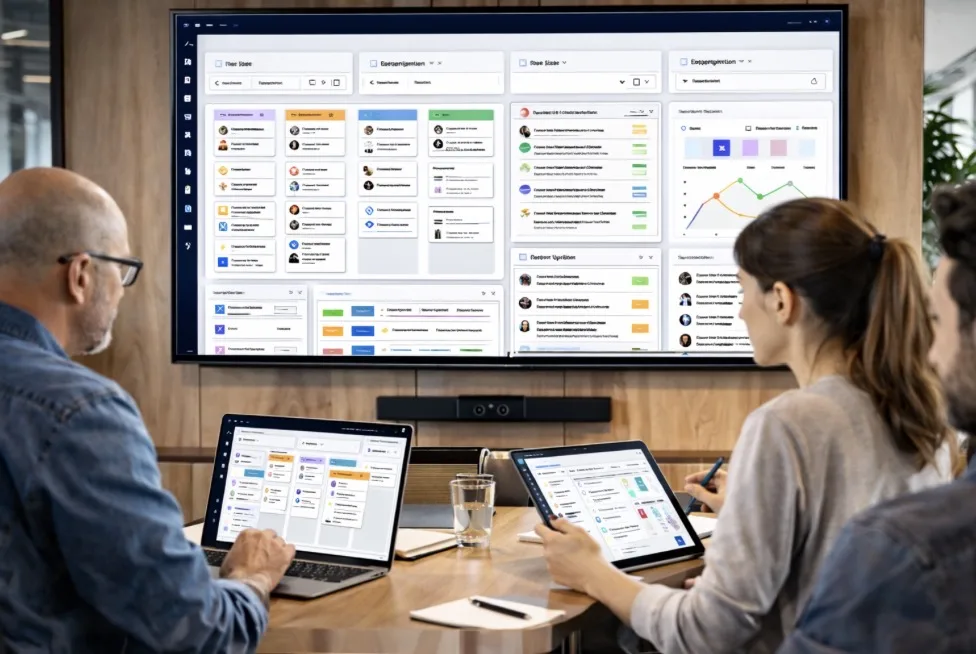
Strong collaborative task tracking begins with frictionless task creation. Your team should add tasks in seconds, not wade through five screens of mandatory form fields. The top platforms let you throw in a task title instantly, then add descriptions, deadlines, and subtasks whenever you’re ready.
Dependencies become crucial once projects grow complex. When Task B cannot begin until Task A wraps up, your system needs to show that relationship clearly and alert people when blockers disappear. Custom fields let you track workflow-specific information: sprint identifiers for dev teams, client sign-off stages for agencies, priority rankings for support queues.
Assignment functions should accommodate multiple owners and followers. Real work rarely involves exactly one person, and several colleagues often need visibility without direct responsibility. Status tracking must reflect your actual process stages—not generic “to do, doing, done” but your specific workflow, whether that’s “draft, legal review, approved, live” or “backlog, ready, in progress, testing, shipped.”
Bulk operations become essential when wrangling dozens of tasks. Reassigning twenty tasks to a different team member, shifting deadlines after a schedule change, or tagging a group of related items shouldn’t require clicking through each one individually.
Communication and File Sharing Features
Discussions should live adjacent to relevant work. When conversation about a deliverable happens inside the task itself, new contributors understand background context without pestering someone for the full story. Threaded comments maintain organization within discussions, while the ability to mark threads resolved prevents old conversations from cluttering active work.
File attachment combined with inline preview stops the “which file is current?” chaos. Teams upload directly to tasks or projects, ensuring everyone accesses identical files. Preview features let people review documents, images, and PDFs without downloading, accelerating feedback loops.
Notification systems keep people informed without drowning them in alerts. Configurable settings let each person determine what deserves immediate attention versus a daily summary. Getting pinged for every single comment becomes background noise, but missing a direct question creates delays. Quality platforms establish sensible default rules while making customization straightforward.
Search across tasks, comments, and files transforms your platform into institutional knowledge. When someone asks “didn’t we tackle this issue last spring?” a quick search surfaces the previous solution rather than starting from scratch.
Communication tool integration like Slack or Microsoft Teams connects structured work with rapid-fire questions. Some discussions need task comment permanence; others work better as quick messages. Integrations let teams use both approaches without creating information silos.
Types of Project Collaboration Platform Tools
Different platforms optimize for distinct scenarios. Understanding these categories helps narrow options to tools built for teams resembling yours.
All-in-one platforms bundle task management, documentation, time tracking, reporting, and communication into one system. They’re designed to replace multiple specialized tools with a comprehensive solution. The upside is unified data without managing numerous integrations. The downside is complexity—these platforms take longer to learn and can overwhelm teams with straightforward needs. They excel for organizations running varied project types or companies wanting organization-wide standardization.
Specialized task management platforms concentrate on executing one thing brilliantly: organizing and tracking work. They deliver sophisticated views (boards, lists, calendars, timelines), robust filtering, and flexible task hierarchies. Communication exists but remains secondary to task organization. These platforms suit teams where the core challenge is coordinating assignments and deadlines, particularly in software development or operations.
Communication-focused tools make conversations and file sharing central, treating task management as supporting functionality. They grew from chat platforms by layering on lightweight project structure. Teams already communicating heavily in real-time who need basic organization for tracking action items find these intuitive. The constraint is weaker project planning and reporting versus task-focused platforms.
Visual workflow tools rely on boards, cards, and columns representing work processes. They’re brilliant at showing status instantly and supporting approaches like Kanban. Teams managing continuous workflows—content creation, customer support, sales pipelines—appreciate the visual clarity. They’re less effective for intricate project scheduling involving interdependent tasks and fixed timelines.

Document-centric collaboration platforms arrange work around shared documents and knowledge bases instead of individual tasks. They work well for research teams, writers, and anyone producing collaborative long-form content. Task tracking appears but feels secondary to document creation and knowledge capture.
| Tool Category | Ideal Team Size | Primary Strength | Learning Curve | Typical Pricing Model | Best For |
|---|---|---|---|---|---|
| All-in-one platforms | 10-500+ | Everything in one place, connected data | Significant—expect weeks | Per user monthly, multiple tiers | Companies consolidating onto single system |
| Specialized task management | 5-100 | Sophisticated task organization, workflow customization | Medium—few days to functional | Per user monthly | Dev teams, ops groups |
| Communication-focused | 5-50 | Instant interaction, minimal setup | Low—hours to productive | Per user monthly or freemium | Remote teams, fast-moving environments |
| Visual workflow tools | 3-50 | At-a-glance status, process transparency | Low—same day useful | Per user monthly or freemium | Marketing, support, content operations |
| Document-centric platforms | 3-30 | Knowledge capture, collaborative editing | Medium—gradual mastery | Per user monthly or free | Research, documentation, educational teams |
How to Choose the Right Collaboration Tool for Your Team
Decision paralysis hits hard when comparing dozens of seemingly similar options. A methodical decision framework cuts through the confusion.
Team size and structure come first. Teams under ten people prioritize simplicity and quick setup over enterprise capabilities. A platform requiring dedicated administrator training won’t stick when everyone juggles multiple roles. Teams exceeding fifty need permission systems, departmental boundaries, and audit capabilities that smaller tools lack. Distributed teams require strong asynchronous features; co-located teams might emphasize quick status visibility over exhaustive documentation.
Be honest about project complexity. Launching one product with a defined timeline demands different capabilities than juggling ongoing client work across multiple accounts. Complex projects involving dependencies, resource constraints, and numerous stakeholders need solid planning features. Simpler, repeating workflows gain more from automation and templates than from sophisticated scheduling.
Budget means more than subscription fees. Calculate total expense including implementation hours, training time, potential integration development, and migration effort from existing systems. A platform charging higher per-user fees but requiring minimal setup might actually cost less than a cheaper option demanding extensive configuration. Consider whether you’re paying for features you’ll ignore—enterprise reporting adds zero value for a six-person startup.
Examine your current tech stack carefully. A collaboration tool integrating smoothly with your existing tools (email, calendar, file storage, communication apps) eliminates friction. Teams heavily using Google Workspace have completely different integration needs than Microsoft 365 organizations. Verify whether critical integrations exist natively or need third-party connectors adding complexity and potential breakage.
Factor in remote versus hybrid patterns. Fully remote teams depend on robust asynchronous capabilities—detailed task descriptions, comprehensive documentation, explicit status indicators. Hybrid teams benefit from tools working equally well on mobile and desktop, supporting both focused work sessions and quick updates between meetings. Time zone spread determines whether real-time collaboration features help or create pressure for constant availability.
Match tooling to your team’s technical confidence. Platforms offering powerful customization serve technical teams beautifully but frustrate less technical users. Watch how your team currently operates—do they embrace new software enthusiastically or resist change? A tool demanding extensive configuration fails if nobody wants to learn admin functions.
Run trials using actual work, not demo datasets. Assign real tasks, share actual files, conduct normal project activities for minimum two weeks. Notice friction: where do people get confused, what actions take too many clicks, which features sit unused?
Common Implementation Mistakes to Avoid
Even excellent platforms fail with poor rollouts. These mistakes appear across organizations of every size.
Customizing excessively before understanding defaults burns time and creates needless complexity. Teams invest weeks configuring custom fields, statuses, and automation rules before anyone uses the platform for real work. Begin with out-of-the-box settings, run actual projects, then customize based on observed friction points. You’ll find many anticipated customizations address problems you don’t actually face.
Skimping on onboarding breeds ongoing resistance. Handing out login credentials and expecting self-guided learning guarantees partial adoption at best. Some people dive in enthusiastically, others cling to email and spreadsheets, and information fragments across systems. Commit to structured onboarding: live training sessions, recorded tutorials for later reference, written quick-start documentation, and designated power users answering questions. Treat the first two weeks of adoption as a priority, not an afterthought.
Prioritizing features over usability is the classic mistake. A platform boasting every conceivable capability sounds attractive until your team finds it confusing and reverts to simpler tools. Focus on whether people will actually use it rather than whether it technically can do something. A tool handling 80% of needs but getting used consistently outperforms one handling 100% but frustrating users.
Excluding team input during selection generates resentment and workarounds. When leadership selects a tool without consulting daily users, adoption tanks. Include representatives from various roles in evaluation—what serves managers might not serve individual contributors. Run trials with actual team members, not just decision-makers, and genuinely incorporate their feedback.
Neglecting integration strategy produces data silos and duplicate data entry. When your collaboration tool doesn’t connect to email, calendar, file storage, or communication platforms, people maintain information in multiple places or bypass the collaboration tool entirely. Map critical integrations before selecting a platform, and test them during trials. A beautiful platform that doesn’t integrate with existing tools becomes an isolated island.
Attempting complete migration from legacy systems immediately overwhelms teams and amplifies failure risk. Launch new projects in the new platform while letting existing projects finish in old systems. Gradually migrate historical data only when there’s clear value. Trying to move five years of archived projects while simultaneously learning a new tool guarantees mistakes and frustration.
Best Practices for Project Workflow Collaboration

Effective collaboration transcends software—it requires shared practices and consistent discipline.
Define clear protocols for information placement. When does a question belong in task comments versus team chat? What information goes in task descriptions versus attached documents? When should someone create a separate task versus adding a subtask? Write these decisions down and cover them during onboarding. Consistency in platform usage makes information findable and reduces mental overhead.
Adopt standardized task naming patterns. A convention like “[Project] – Task description” or “COMPONENT: Action required” accelerates scanning task lists. When everyone follows identical patterns, people quickly identify relevant tasks and grasp scope at a glance. Include action verbs in task titles—”Review Q1 budget” beats “Q1 budget” for clarity.
Establish notification boundaries preventing alert overload. Default notification settings often ping people for every comment and update, rapidly becoming noise. Set team expectations: use @mentions for items needing someone’s attention, mark tasks urgent only when genuinely time-critical, establish quiet hours when notifications pause. Encourage people to adjust notification preferences based on role and work style.
Schedule regular platform audits preventing information decay. Quarterly reviews should archive completed projects, remove obsolete tasks, and refresh stale information. Platforms accumulate clutter over time—old projects nobody references, outdated templates, abandoned experiments. Consistent cleanup maintains system usefulness and prevents the “everything’s in there somewhere” syndrome making people distrust the platform.
Commit to ongoing education beyond initial training. When the platform ships new features or team requirements shift, run refresher sessions. When someone discovers a useful technique or shortcut, broadcast it to the team. Maintain a knowledge base capturing tips and advanced techniques. Designate platform experts who track updates and assist teammates.
Build templates for recurring project patterns. When you run similar initiatives repeatedly—client onboarding sequences, product launches, content calendars—build templates containing standard tasks, typical timelines, and relevant documentation. Templates prevent forgotten steps and accelerate project setup. Refine templates based on retrospectives from completed projects.
Make progress updates routine and lightweight. Whether through daily standups, weekly syncs, or asynchronous updates, establish rhythms for sharing status. Keep updates focused on three elements: completed work, upcoming work, current blockers. When status updates happen predictably, people stay aligned without excessive meetings.
Capture decisions and reasoning within context. When the team makes a significant choice—pivoting approach, descoping a feature, selecting a vendor—record why in the relevant task or project. Future team members (or yourselves months later) need that context. A comment explaining “we selected option B because of timeline constraints” prevents relitigating decisions later.
The teams extracting maximum value from collaboration platforms treat them as living systems requiring active maintenance, not install-and-forget solutions. We’ve measured productivity improvements of 30-40% when organizations combine appropriate tooling with consistent practices and continuous refinement.
Sarah Chen, Director of Operations at Velocity Partners
FAQs
Traditional project management tools emphasize planning, scheduling, and resource allocation—think Gantt charts, critical path analysis, budget tracking. Collaboration tools emphasize team interaction and shared visibility—think task comments, real-time updates, file sharing. Many contemporary platforms blend both categories, but the emphasis varies. When your primary need is detailed project scheduling and resource management, prioritize project management features. When coordinating daily work and team communication is the challenge, emphasize collaboration capabilities.
Emphasize integrations with tools your team uses daily. Email integration (Gmail, Outlook) enables creating tasks from emails and receiving notifications in your inbox. Calendar integration (Google Calendar, Outlook) syncs deadlines and meetings. File storage integration (Google Drive, Dropbox, OneDrive) allows attaching files without separate uploads. Communication platform integration (Slack, Microsoft Teams) bridges quick conversations and structured task work. Time tracking integration helps teams billing hourly. Authentication integration (Google, Microsoft, SSO) simplifies login and strengthens security. Verify whether integrations are native or require third-party connectors—native integrations are more reliable and easier to maintain.
Reputable platforms implement strong security measures: encryption in transit and at rest, regular security audits, compliance certifications (SOC 2, ISO 27001, GDPR), role-based access controls, and audit logs. However, security depends on both the platform and your usage patterns. Enable two-factor authentication for all users, regularly audit who accesses what, avoid sharing sensitive credentials in task comments, and understand geographic data storage. For highly sensitive work (healthcare, finance, legal), verify the platform meets industry-specific compliance requirements. Free plans sometimes offer weaker security guarantees than paid tiers—read the fine print. Most business-grade platforms provide adequate security for typical project data, but verify specific requirements before committing.
Selecting and implementing project management collaboration tools requires matching platform capabilities to your team’s genuine needs rather than checking feature boxes. The optimal tool is whichever one your team will consistently use, which depends on appropriate complexity, smooth integration with existing workflows, and thoughtful rollout.
Begin by understanding whether your primary challenge is task coordination, team communication, or both. Evaluate options based on team size, project complexity, budget, and technical comfort. Run meaningful trials with real work before committing. Implement gradually with strong onboarding and clear usage protocols. Maintain the system through regular audits and ongoing training.
The objective isn’t discovering the perfect platform—it’s identifying one that’s good enough and getting your team to use it consistently. A simpler tool with complete adoption beats a sophisticated platform half the team bypasses. Concentrate on solving your actual collaboration problems rather than accumulating impressive features you’ll never touch.
When chosen and rolled out thoughtfully, collaboration tools reshape how teams work together—replacing scattered information and constant status meetings with transparent workflows and focused communication. Time invested in selecting the right platform and establishing effective habits around it delivers returns in productivity, clarity, and reduced frustration for years ahead.