
- Why Remote Collaboration Differs from In-Office Teamwork
- Core Principles for Effective Distributed Team Collaboration
- Remote Project Management Strategies That Work
- Async Collaboration Practices for Flexible Workflows
- Tools and Technology for Managing Remote Collaborations
- Common Remote Collaboration Challenges and How to Solve Them
- Remote Work Collaboration Tips for Team Leaders
Remote work has matured beyond emergency stopgaps and Zoom fatigue. By 2026, distributed teams are the norm for companies ranging from five-person startups to Fortune 500 enterprises. Yet many organizations still struggle with the fundamentals: keeping everyone aligned, maintaining momentum across time zones, and avoiding the communication black holes that tank productivity.
The difference between high-performing remote teams and those that limp along often comes down to intentional systems rather than talent or technology budgets. This guide walks through proven frameworks, specific tactics, and the trade-offs you’ll face when building collaboration practices that actually work.
Why Remote Collaboration Differs from In-Office Teamwork
The shift from office to distributed work isn’t just about location. It fundamentally changes how information flows, decisions get made, and relationships form.
In a physical office, synchronous communication dominates. You overhear a designer mention a client concern, swing by a colleague’s desk to clarify a requirement, or read body language during a tense budget discussion. These micro-interactions create ambient awareness—you absorb context without deliberate effort.
Remote work strips away that ambient layer. A developer in Portland doesn’t know that the product manager in Berlin just learned about a critical bug unless someone explicitly shares it. The default state shifts from shared awareness to information silos.
Time zones compound the problem. When your workday overlap is two hours, scheduling a quick sync becomes a negotiation. One person joins at 7 AM, another at 8 PM. The “quick call” culture that works in co-located teams becomes unsustainable when half the team is asleep during your working hours.
Asynchronous communication becomes necessary, not optional. But async work requires different skills: writing clear documentation instead of explaining verbally, recording video updates instead of whiteboard sessions, and trusting that responses will come in hours rather than minutes.
The lack of physical presence also affects trust-building. You can’t grab coffee with a teammate or notice when someone seems stressed. Building rapport requires intentional effort—virtual coffee chats, non-work channels, and video-on norms that let people see faces instead of profile pictures.
Communication gaps emerge in predictable patterns. Text-based messages lose tone and nuance, leading to misunderstandings. Important updates get buried in Slack threads. Decisions happen in private conversations, leaving others confused about why directions changed.
Core Principles for Effective Distributed Team Collaboration
The foundation of remote team collaboration best practices rests on three pillars that address the structural challenges of distributed work.

Establish Clear Communication Protocols
Teams need explicit rules about where different types of communication happen. Without these boundaries, everything becomes urgent and nothing gets deep focus time.
Define channels by purpose, not just topic. One software team uses this structure: Slack for questions needing answers within 4 hours, email for updates that can wait 24 hours, Loom videos for explanations requiring visual walkthroughs, and documents for decisions that need to persist.
Set response-time expectations by channel. Slack messages get responses within 4 business hours. Emails within 24 hours. Document comments within 48 hours. This prevents the “always-on” culture that burns people out while ensuring nothing critical falls through cracks.
Establish a single source of truth for decisions and status. Many teams use Notion or Confluence as the canonical record. Meeting notes, project briefs, and architectural decisions all live there. If it’s not in the docs, it didn’t happen. This prevents the “I thought you knew” scenarios that derail projects.
Create templates for recurring communications. Sprint planning follows the same agenda structure. Project kickoffs use the same brief format. Bug reports include the same diagnostic information. Templates reduce cognitive load and ensure nothing important gets forgotten.
Define Roles and Accountability
Ambiguity about ownership kills remote projects. When everyone’s responsible, nobody is.
Use RACI matrices for complex initiatives: who’s Responsible for doing the work, who’s Accountable for the outcome, who needs to be Consulted, and who should be Informed. This sounds bureaucratic, but it prevents three people duplicating effort while a critical task sits untouched.
Make decision-making authority explicit. Who can approve a design change? Who decides whether to delay a release? In offices, these questions often resolve through informal conversations. Remote teams need written frameworks that specify decision rights by role and situation.
Assign DRIs—Directly Responsible Individuals—for every project and major task. The DRI isn’t necessarily doing all the work, but they’re the single point of accountability. When something’s unclear, everyone knows who to ask. When a deadline approaches, one person feels the weight of ownership.
Document who’s working on what in a shared space everyone checks. Some teams use project management tools; others maintain a simple spreadsheet. The format matters less than the habit of updating it and the expectation that people check it before starting work.
Build Trust Across Time Zones
Trust erodes when people feel disconnected from teammates they rarely see or hear from.
Default to video-on for synchronous meetings. Seeing faces and expressions builds rapport faster than audio alone. Yes, video fatigue is real, but strategic use during team meetings and 1:1s pays dividends in relationship quality.
Create space for non-work interaction. Some teams start meetings with “roses and thorns”—one good thing and one challenge from the past week. Others maintain hobby channels where people share cooking experiments or hiking photos. These moments humanize colleagues who might otherwise feel like text on a screen.
Celebrate wins publicly and specifically. When someone ships a tough feature or helps a teammate through a crisis, call it out in team channels with details about what they did and why it mattered. Public recognition builds culture and shows what behaviors the team values.
The key to remote collaboration isn’t more meetings—it’s better systems and shared understanding.
Claire Hughes Johnson, former COO at Stripe
Rotate meeting times when teams span extreme time zones. If the weekly all-hands always happens at 9 AM Pacific, the team in Singapore joins at 1 AM. Alternate between times that favor different regions, or record sessions for those who can’t attend live.
Remote Project Management Strategies That Work
Managing remote projects requires more structure than office-based work, but less synchronous coordination.
Start every project with a written brief that answers: What problem are we solving? What does success look like? Who’s the DRI? What’s the timeline? Who needs to review or approve what? Circulate the brief for feedback before work begins. This upfront investment prevents weeks of misaligned effort.
Break work into small, clearly-defined tasks with explicit acceptance criteria. Vague tickets like “improve dashboard performance” become “reduce dashboard load time to under 2 seconds for datasets under 10,000 rows.” Specific tasks enable autonomous work—people don’t need to interrupt others for clarification.
Use milestone-based planning rather than daily micromanagement. Define what needs to be true at the end of each week or sprint. Check in on milestones, not hours worked. This respects people’s autonomy while maintaining accountability for outcomes.
Integrate tools so information flows automatically. When a pull request merges, the related task moves to “done” in your project tracker. When a design file updates, stakeholders get notified. Automation reduces manual status updates and keeps everyone aligned without extra meetings.
Make progress visible in shared spaces. Kanban boards, burndown charts, or simple status docs let anyone check project health without interrupting the team. Visibility replaces status meetings—people can see what’s blocked, what’s on track, and where help is needed.
Build in buffer time for async handoffs. If the designer needs to review something before development continues, that review might take 24 hours across time zones. Schedules that assume instant handoffs create bottlenecks and frustration.
Async Collaboration Practices for Flexible Workflows
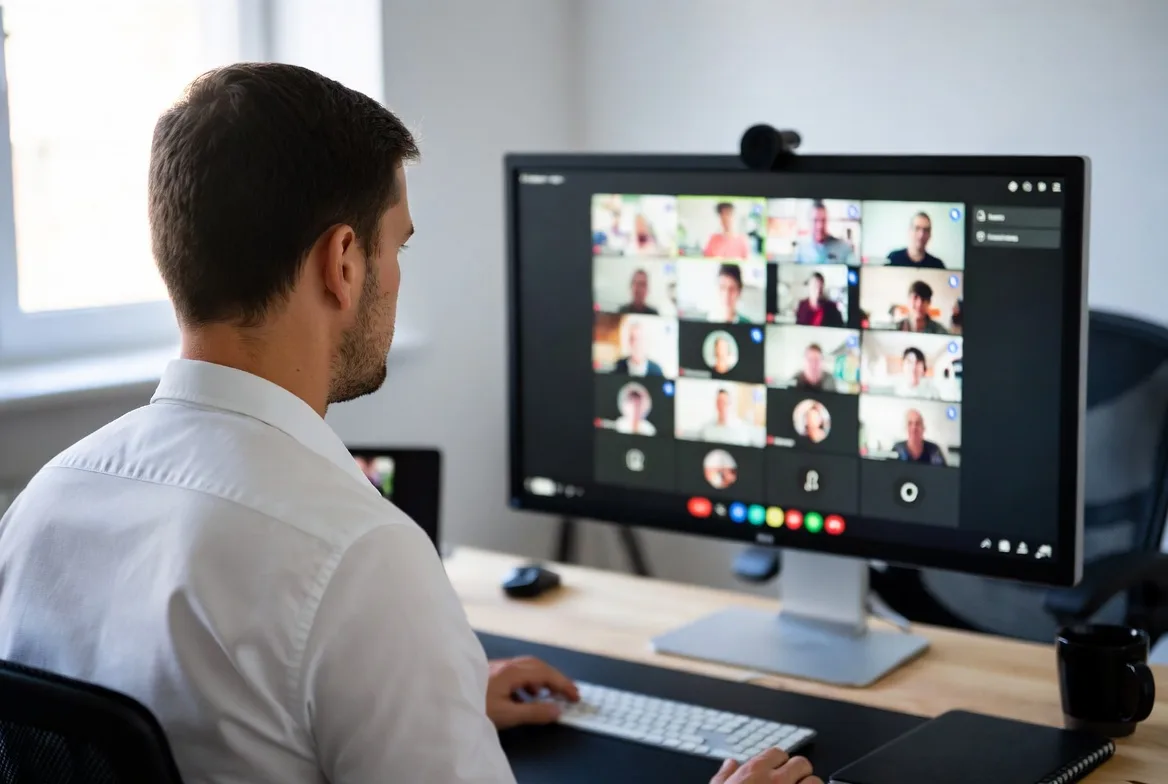
Asynchronous work enables flexibility but requires discipline and new habits.
Treat documentation as a core deliverable, not an afterthought. When you solve a tricky problem, document the solution in the team wiki. When you make a decision, record the reasoning. Future teammates will thank you, and your current teammates won’t need to interrupt you for context.
Record video updates for complex explanations. A 5-minute Loom walking through a design mockup or code architecture conveys more than a 20-message Slack thread. Recipients watch when convenient and can rewatch confusing sections. The creator avoids repeating the same explanation in multiple meetings.
Run asynchronous stand-ups using tools like Geekbot or simple Slack threads. Each morning, team members post: What did I ship yesterday? What am I tackling today? What’s blocking me? Everyone reads updates on their own schedule. Blockers get resolved in targeted conversations rather than group meetings.
Set clear expectations about response times for different request types. Urgent production issues need responses within an hour. Design feedback can wait 48 hours. Code reviews get turnaround within 24 hours. These norms prevent people from treating everything as urgent while ensuring critical items get attention.
Front-load context in every async communication. Don’t write “Can we change the pricing page?” Write “I’m seeing a 40% drop-off on the pricing page in analytics. Can we test a simplified layout? Here’s a mockup: [link]. Looking for feedback by Friday to include in next sprint.” Recipients have everything they need to respond without a back-and-forth.
Use threaded conversations to keep discussions organized. When someone posts a project update, replies and questions happen in the thread, not scattered across the channel. This makes it easier to follow conversations and find information later.
Embrace the “write it down” culture. If it’s only said in a meeting, it will be forgotten or misremembered. Assign someone to document decisions, action items, and key discussion points in every synchronous meeting. Share notes within an hour while memories are fresh.
Tools and Technology for Managing Remote Collaborations
The right tools don’t guarantee good collaboration, but the wrong ones create friction that compounds daily.
Communication tools need to balance real-time and asynchronous needs. Slack or Microsoft Teams handle quick questions and updates. Email works for longer-form communication and external stakeholders. Loom or Vidyard enable async video explanations. The mistake is using one tool for everything—real-time chat is terrible for decisions that need to persist.
Project management platforms organize work and make progress visible. Linear and Asana excel at task tracking with clean interfaces. Jira handles complex workflows for larger teams. Notion and ClickUp blur the line between wikis and project tools. Choose based on your team’s complexity and whether you need tight integration with development tools.
File sharing and collaboration require version control and commenting. Google Workspace and Microsoft 365 enable real-time co-editing. Figma revolutionized design collaboration with multiplayer editing and commenting. Miro and Mural facilitate visual collaboration on whiteboards and workflows. The key feature is inline commenting—feedback happens in context, not scattered across emails.
Time tracking and scheduling tools help coordinate across zones. World Time Buddy shows overlapping hours at a glance. Clockwise or Reclaim.ai automatically find meeting times that minimize disruption. Toggl or Harvest track time for billing or capacity planning. These tools reduce the coordination overhead that drains distributed teams.
| Category | Tool | Key Features | Best Use Case | Pricing |
|---|---|---|---|---|
| Communication | Slack | Channels, threads, integrations | Teams under 500, quick async updates | Free–$12.50/user/month |
| Communication | Microsoft Teams | Video, Office integration, channels | Enterprise teams using Microsoft 365 | $4–$12.50/user/month |
| Project Management | Linear | Clean UI, sprint planning, issue tracking | Software teams, product development | Free–$12/user/month |
| Project Management | Asana | Task dependencies, timeline view, templates | Cross-functional projects, marketing teams | Free–$24.99/user/month |
| Documentation | Notion | Wikis, databases, templates | Knowledge base, lightweight project management | Free–$15/user/month |
| Design Collaboration | Figma | Real-time co-editing, prototyping, dev handoff | Product design, UX collaboration | Free–$15/editor/month |
| Video Messaging | Loom | Screen recording, async video updates | Explanations, feedback, demos | Free–$12.50/user/month |
Choose tools that integrate well. Every additional tool is another login, another notification stream, another place to check. Prioritize platforms with strong APIs and pre-built integrations so information flows between systems.
Common Remote Collaboration Challenges and How to Solve Them
Even well-structured teams hit predictable obstacles. Recognizing patterns helps you address root causes rather than symptoms.
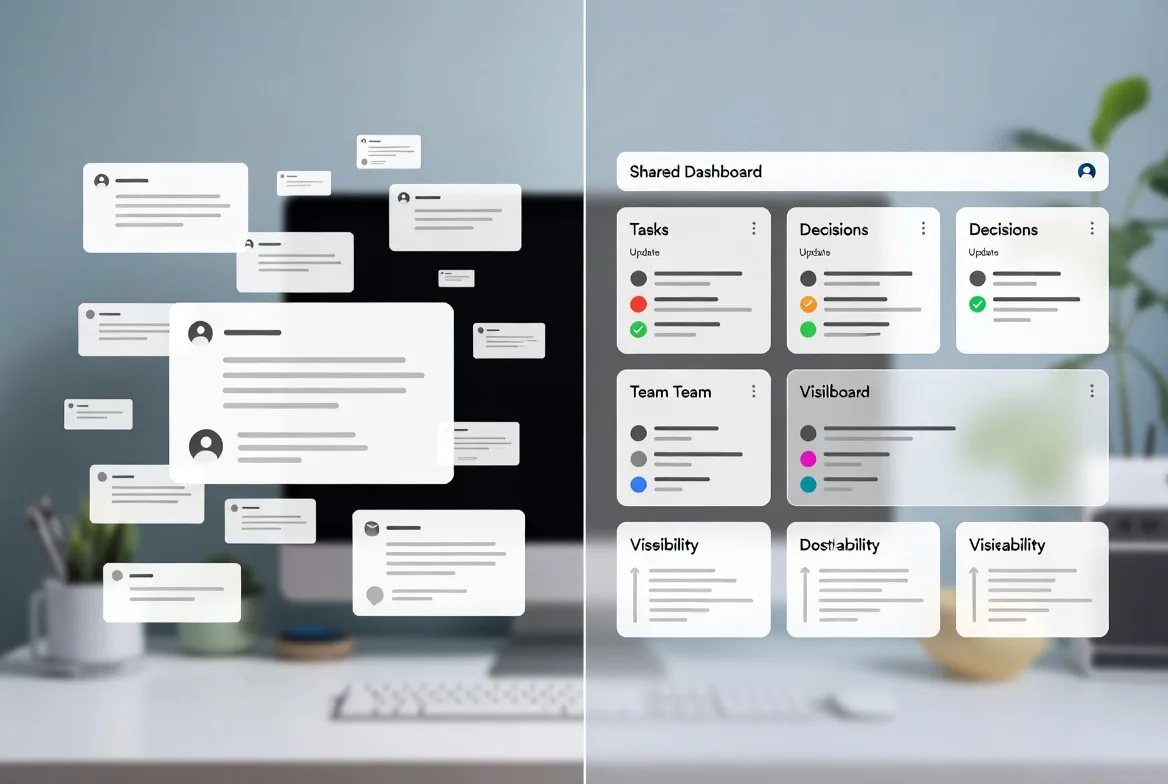
Miscommunication and Information Silos
Messages get misinterpreted. Critical updates reach some people but not others. Teams duplicate work because they don’t know what others are doing.
Solutions start with writing clarity. Use the “5 Ws” framework for updates: Who is this relevant to? What happened or needs to happen? When is it due or did it occur? Where can people find more information? Why does it matter? This structure forces completeness.
Create information radiators—dashboards or docs that broadcast important information continuously. A project dashboard showing current status, upcoming milestones, and blockers means people don’t need to ask for updates. They check the dashboard.
Implement a “default to public” norm for communication. Unless something’s confidential, share it in team channels rather than DMs. This creates ambient awareness and prevents information silos where knowledge lives in private conversations.
Run weekly async summaries where each team or function posts highlights, lowlights, and upcoming priorities. Everyone reads updates from other teams, building cross-functional awareness without meetings.
Low Engagement and Team Disconnect
People feel isolated. Participation in meetings drops. Team culture feels thin or nonexistent.
Schedule regular 1:1s between managers and reports—at least bi-weekly, ideally weekly. These conversations build relationships and surface problems before they become crises. Use video and ask open questions: “What’s energizing you right now?” “What’s draining you?” “What support do you need?”
Create rituals that bring people together. Monthly virtual social events, quarterly in-person offsites if budgets allow, or weekly “demo days” where people share what they’re working on. Rituals build rhythm and shared experience.
Recognize contributions publicly and specifically. A generic “great job team” lands differently than “Priya’s debugging work Friday night got us back online and prevented $50K in lost revenue.” Specific recognition shows you notice individual effort.
Rotate facilitation of team meetings so everyone has a voice and stake in the team’s functioning. When people lead retrospectives or planning sessions, engagement rises.
Overlapping Work and Duplicated Effort
Two people build similar features. Marketing creates assets the design team already made. Researchers interview the same users.
Maintain a shared roadmap or work log that everyone updates and checks before starting significant work. This doesn’t need to be complex—a Notion page listing active projects and owners prevents most duplication.
Require brief project kickoff posts in a shared channel before starting work. “I’m building a CSV export feature for the admin dashboard, targeting completion by March 15.” If someone else is tackling something similar, they’ll speak up.
Use weekly planning sessions to coordinate upcoming work. Each person or team shares priorities for the coming week. Overlaps surface in conversation and get resolved before effort is wasted.
Implement pair programming or collaborative work sessions for complex tasks. When two people work together, they can’t duplicate effort. This also spreads knowledge and improves quality.
Remote Work Collaboration Tips for Team Leaders
Leaders set the tone and systems that enable or hinder collaboration.
Schedule strategically. Protect maker time—blocks of 3+ hours without meetings—for everyone, including yourself. Batch meetings into specific days or time blocks so people have uninterrupted focus time. A calendar full of 30-minute meetings prevents deep work.
Build feedback loops into your rhythm. Monthly retrospectives ask: What’s working? What’s not? What should we try? Bi-weekly 1:1s surface individual concerns. Quarterly surveys measure engagement and collaboration health. Act on what you learn—gathering feedback without responding erodes trust.
Recognize and reward collaboration behaviors, not just individual achievement. When someone takes time to mentor a junior teammate or documents a complex process, celebrate it. What gets recognized gets repeated.
Onboard remote hires with intention. Pair them with a buddy for their first month. Schedule intro calls with key stakeholders. Give them a 30-60-90 day plan with clear expectations. Share the team’s communication norms and collaboration tools in writing. Remote onboarding requires more structure than office-based because new hires can’t learn by osmosis.
Model the behaviors you want to see. If you want people to take time off, take time off yourself and truly disconnect. If you want thoughtful async communication, write detailed updates with context. If you want work-life boundaries, don’t send messages at midnight. Leaders set culture through actions more than words.
Invest in team bandwidth—both literal and figurative. Ensure everyone has reliable internet and appropriate hardware. Budget for collaboration tools that reduce friction. Provide stipends for home office setups. These investments pay for themselves in productivity and reduced frustration.
Address conflict quickly and directly. Remote work makes it easier to avoid difficult conversations, but unresolved tension festers. When you notice friction, schedule a video call to discuss it. Assume positive intent, seek to understand, and work toward resolution.
FAQs
The most damaging mistake is trying to replicate office culture online—filling calendars with video meetings to recreate the feeling of “working together.” This ignores remote work’s core advantage: flexibility and deep focus time. Other common errors include unclear communication norms (leading to constant interruptions), no single source of truth for decisions (creating confusion about what was decided), and neglecting relationship-building (treating teammates as text on a screen rather than people).
Start with a comprehensive written guide covering tools, communication norms, team structure, and current projects. Schedule intro calls with key collaborators in the first week—not to discuss work, but to build relationships. Assign a buddy who’s available for questions and can provide informal context. Give new hires a 30-day project that’s meaningful but not critical, allowing them to learn systems without high-stakes pressure. Check in frequently early on—daily for the first week, then weekly—to surface confusion before it compounds
Default to async for 70-80% of communication, reserving sync for situations where real-time interaction adds significant value. Async works for: status updates, decisions with clear options, feedback on work, documentation, and most planning. Sync is valuable for: complex problems requiring rapid back-and-forth, brainstorming, relationship-building, conflict resolution, and onboarding. The ratio shifts based on time zone spread—teams spanning 12+ hours need higher async ratios than those with 4-hour overlaps.
At minimum, you need: a communication platform (Slack or Teams), a project management tool (Linear, Asana, or Jira), a documentation system (Notion, Confluence, or Google Docs), and video conferencing (Zoom or Google Meet). Beyond basics, async video messaging (Loom) dramatically improves communication quality. Time zone converters (World Time Buddy) reduce scheduling friction. The specific brands matter less than ensuring tools integrate well and the team actually uses them consistently. Five well-used tools beat twenty poorly-adopted ones.
Remote team collaboration works when you build systems that account for distributed work’s inherent challenges rather than fighting against them. Clear communication protocols prevent information chaos. Defined roles eliminate ambiguity about ownership. Trust-building practices counteract the isolation of remote work.
The shift to async-first communication, supported by occasional strategic synchronous time, enables flexibility without sacrificing alignment. Documentation becomes a core practice, not an afterthought. Tools facilitate collaboration when chosen thoughtfully and integrated properly.
Common challenges—miscommunication, low engagement, duplicated effort—have known solutions that require discipline to implement and maintain. Leaders who model good practices, build feedback loops, and invest in systems create environments where distributed teams thrive.
The teams that excel at remote collaboration in 2026 aren’t necessarily the most talented or best-funded. They’re the ones that treat collaboration as a skill to develop deliberately, with systems that evolve based on what works for their specific context. Start with the fundamentals outlined here, measure what matters, and iterate based on your team’s reality.