
- What Is a Customer Self Service Portal?
- How Self Service Portals Work
- Benefits of Implementing a Self Service Support Portal
- Types of Self Service Portals for Different Business Needs
- Key Features to Look for in a Self-Service Platform
- How to Build or Choose an Online Self Service Portal
- Comparison of Self Service Portal Types
- Common Mistakes When Launching Customer Portal Self Service
Modern customer support has shifted dramatically. Businesses that once relied solely on phone lines and email tickets now empower customers to solve problems independently through digital interfaces. A self service portal for customers represents this fundamental change—a dedicated online environment where users find answers, manage accounts, and resolve issues without waiting for human assistance.
The transformation isn’t subtle. Companies across industries report that 70-85% of customer inquiries can be resolved through self-service channels when properly designed. This shift frees support teams to handle complex cases while customers get immediate solutions at their convenience.
What Is a Customer Self Service Portal?
A customer self service portal is a secure, branded web application that gives customers direct access to support resources, account management tools, and problem-solving capabilities. Unlike traditional support channels where customers must contact a representative, these portals put information and functionality directly in users’ hands.
The core functionality centers on three pillars: information access, account control, and issue resolution. Customers can search knowledge bases, update their profiles, track orders, submit tickets, download documentation, and perform routine account tasks—all without picking up the phone or writing an email.
What distinguishes customer self service from traditional support channels is the power dynamic. Traditional support operates on a request-response model: customers ask, then wait for answers. Self-service portals flip this relationship. Customers access a repository of solutions, tools, and data whenever they need it. The portal doesn’t close at 5 PM or put callers on hold.
This differs from simply posting FAQs on a website. A true self service portal authenticates users, personalizes content based on their product usage or account type, tracks their interaction history, and integrates with backend systems to display real-time account information or order status.

How Self Service Portals Work
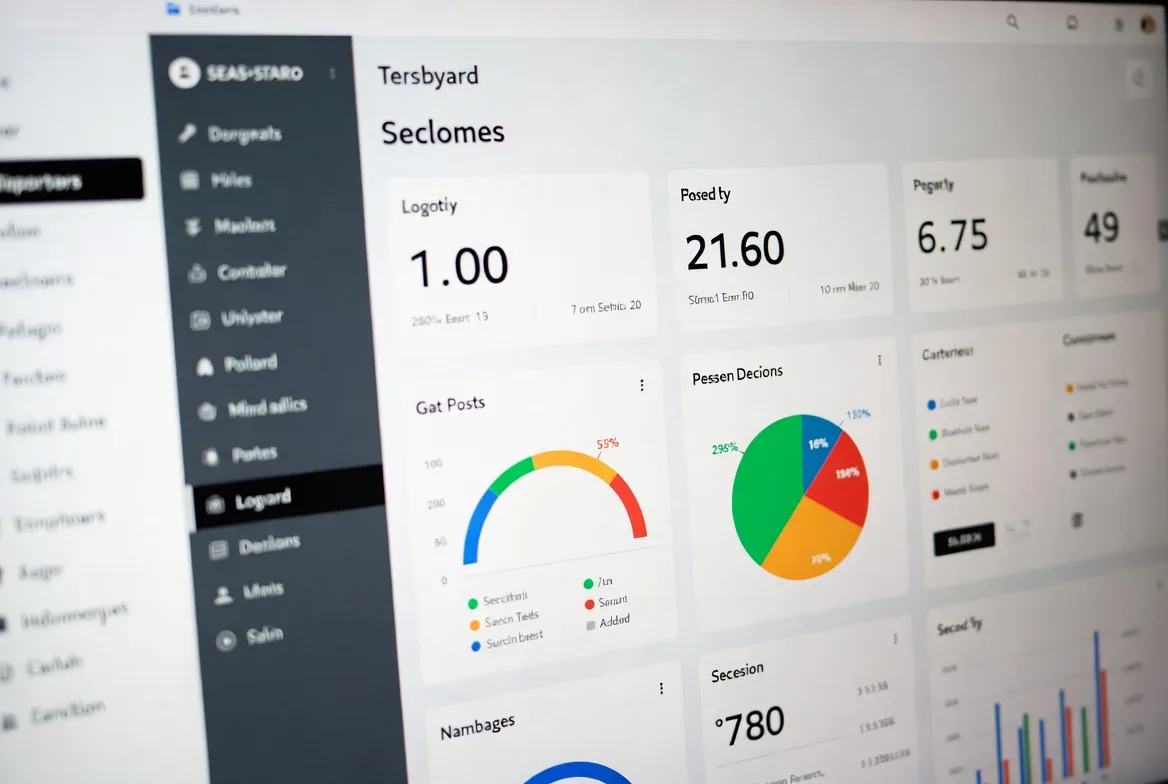
The customer journey through a self service portal typically begins with authentication. Users log in with credentials tied to their account, which allows the system to display personalized information and restrict access to sensitive data. Once authenticated, they encounter a dashboard or homepage tailored to their needs.
From there, paths diverge based on intent. Someone seeking information might use the search bar to find articles about a specific feature. Another user might navigate to account settings to update payment information. A third might check the status of a recent support ticket or product shipment.
Behind the scenes, the portal connects to multiple systems. It queries your knowledge base for articles, pulls customer data from your CRM, retrieves order information from your e-commerce platform, and syncs with your ticketing system to display case status. This integration layer is what transforms a collection of web pages into a functional self service support portal.
Common Portal Features
Most effective portals share a standard feature set. A robust search function sits prominently on every page, using natural language processing to understand queries phrased as questions rather than exact keyword matches. The knowledge base organizes articles by topic, product, or common task, with related articles suggested at the bottom of each page.
Account management sections let users update contact information, change passwords, manage notification preferences, and view billing history. For SaaS products, this might include subscription details, usage metrics, and upgrade options. E-commerce portals display order history, tracking information, and return initiation tools.
Community features appear in many portals—forums where customers help each other, vote on feature requests, or share tips. Some include chatbots that attempt to answer questions before directing users to articles or human agents. Video tutorials, downloadable guides, and interactive troubleshooters round out the content offerings.
Technical Requirements
Building a functional online self service portal requires several technical components. You need a content management system capable of organizing and updating knowledge base articles. A search engine that indexes this content and returns relevant results quickly is essential—customers abandon portals with poor search functionality.
Authentication and authorization systems ensure only legitimate account holders access their data. Single sign-on (SSO) integration simplifies access for enterprise customers who manage multiple applications. APIs connect the portal to your existing systems, pulling data in real-time rather than forcing customers to view outdated information.
Mobile responsiveness isn’t optional. More than half of portal access happens on smartphones, particularly for consumer-facing businesses. The interface must adapt to small screens without sacrificing functionality. Page load times under three seconds matter—delays cause abandonment.
Security requirements include SSL certificates, data encryption, regular security audits, and compliance with regulations like GDPR or CCPA depending on your customer base. For healthcare or financial services, additional standards apply.
Benefits of Implementing a Self Service Support Portal
The financial impact hits first. Each call to a support center costs between $5 and $15 when you factor in agent salaries, infrastructure, and overhead. Self-service interactions cost pennies. A company handling 50,000 support contacts monthly can save $200,000 to $400,000 annually by deflecting even 40% of those contacts to a portal.
Agent workload reduction creates a virtuous cycle. When routine questions move to self-service, your support team handles fewer but more complex cases. This improves job satisfaction—agents spend time solving interesting problems rather than resetting passwords for the hundredth time. Lower burnout means better retention, which reduces hiring and training costs.
The 24/7 availability advantage extends beyond time zones. A customer in Tokyo doesn’t wait until your New York office opens. Someone troubleshooting at midnight doesn’t delay their work until morning. This accessibility directly impacts customer satisfaction scores, particularly for B2B products where downtime costs money.
Metrics consistently show that customers who successfully use self-service rate their experience positively. The key word is “successfully”—a poorly designed portal frustrates users more than a 10-minute hold time would. But when customers find answers in under two minutes, satisfaction scores often exceed those for phone support.
Scalability matters during growth phases or seasonal spikes. Hiring and training support agents takes months. A self service portal handles 10,000 users as easily as 1,000. During product launches or busy retail periods, the portal absorbs demand that would otherwise overwhelm your team.

Types of Self Service Portals for Different Business Needs
Knowledge base portals focus primarily on information delivery. They organize articles, guides, troubleshooting steps, and how-to content in a searchable structure. Software companies use these extensively for documentation. The portal might include nothing more than well-organized content with good search, and that’s sufficient when customers primarily need information rather than account access.
Account management portals emphasize control over personal data and settings. Banking apps, insurance portals, and telecom customer centers fall into this category. Users log in to view balances, update policies, change service plans, or manage authorized users. The knowledge base might be minimal—most value comes from self-service transactions that previously required calling customer service.
Ticketing portals let customers submit, track, and update support cases. They can attach screenshots, view response history, add comments, and close resolved tickets. For B2B companies with complex products, these portals often combine ticket management with a knowledge base—customers search first, submit tickets if they don’t find answers.
Community forums create peer-to-peer support networks. Software companies, gaming platforms, and hobbyist brands benefit most. Experienced users answer newcomer questions, share workarounds, and provide use cases the company never documented. Moderation requires resources, but active communities reduce support load while building customer loyalty.
Many businesses implement hybrid portals combining elements from multiple types. A SaaS company might offer knowledge base articles, account management, ticket submission, and community forums in one unified customer portal self service environment.
Key Features to Look for in a Self-Service Platform
Search functionality makes or breaks portal adoption. Basic keyword matching isn’t enough. Look for platforms that support natural language queries (“why won’t my payment go through” not just “payment error”), synonym recognition, and typo tolerance. The search should surface articles, community posts, and video content in a single results page. Advanced features include AI-powered answer extraction that displays the relevant paragraph without requiring users to open the full article.
Mobile responsiveness means more than “works on phones.” The interface should adapt intelligently—collapsing navigation menus, enlarging touch targets, and reformatting tables for narrow screens. Test actual task completion on mobile devices, not just whether pages load.
Analytics capabilities reveal what customers search for, which articles they read, where they abandon tasks, and which self-service features they use most. This data guides content creation and identifies gaps. If 500 users search for “cancel subscription” monthly but your portal has no article on that topic, you’ve found a priority. Heatmaps show where users click, scroll depth indicates whether they’re reading articles fully, and session recordings expose usability problems.
Personalization engines tailor content to user segments. A small business customer sees different articles than an enterprise client. Someone who purchased Product A gets relevant troubleshooting guides on their dashboard. New users receive onboarding content; experienced users see advanced tips. This targeting improves efficiency—customers don’t wade through irrelevant information.
Security features protect both your business and customers. Multi-factor authentication adds login security. Role-based access control ensures customers only see their own account data, while enterprise clients can grant portal access to team members with appropriate permissions. Audit logs track who accessed what information and when. Data encryption protects information in transit and at rest.
Integration capabilities determine how well the self service knowledge portal connects with your existing tools. Pre-built integrations with popular CRM platforms, ticketing systems, and e-commerce solutions speed implementation. API access lets you build custom connections. Single sign-on integration matters for enterprise customers managing multiple applications.

How to Build or Choose an Online Self Service Portal
The build versus buy decision hinges on several factors. Building a custom portal gives you complete control over features, design, and data handling. This makes sense if you have unique requirements that off-the-shelf solutions can’t meet, possess strong internal development resources, or need tight integration with proprietary systems.
Most businesses should buy. Portal software vendors have solved common problems, built mobile-responsive interfaces, and created admin tools for non-technical staff to manage content. Implementation takes weeks instead of months. The total cost of ownership—including development time, ongoing maintenance, security updates, and feature additions—usually favors purchasing.
When evaluating vendors, start with your must-have requirements. Create a weighted scoring matrix covering functionality (does it do what you need?), usability (can customers navigate it easily?), scalability (will it handle your growth?), integration capabilities (does it connect to your existing systems?), and total cost (including implementation, licensing, and ongoing fees).
Request demos focused on your specific use cases. Don’t accept generic walkthroughs. Ask vendors to show how a customer would complete your three most common support tasks. Test the search function with actual queries from your support tickets. Evaluate the admin interface—your team will use it daily to update content.
Check references carefully. Speak with customers similar to your business size and industry. Ask about implementation challenges, ongoing support quality, and whether they’d choose the same vendor again. Pay attention to how long they’ve used the platform—customers who’ve stuck with a vendor for years reveal more than recent adopters.
Implementation timelines vary by complexity. A basic knowledge base portal might launch in 4-6 weeks: two weeks for setup and configuration, two weeks for content migration and creation, one week for testing, and one week for soft launch with a user subset. Complex portals integrating multiple systems and requiring custom development might take 3-6 months.
Budget for more than software licensing. Implementation costs include data migration, integration development, design customization, and staff training. Ongoing costs cover content creation, platform maintenance, hosting (if not included), and support. A realistic first-year budget includes software fees plus 40-60% of that amount for implementation and setup.
Comparison of Self Service Portal Types
| Portal Type | Primary Use Case | Best For | Typical Features | Implementation Complexity |
|---|---|---|---|---|
| Knowledge Base Portal | Information delivery and troubleshooting | Software companies, technical products, how-to content | Searchable articles, video tutorials, categorized content, related article suggestions | Low – can launch in 4-6 weeks |
| Account Management Portal | Self-service transactions and data updates | Financial services, telecom, subscription businesses | Profile editing, billing history, plan changes, usage dashboards, payment updates | Medium – requires secure system integrations |
| Ticketing Portal | Case submission and tracking | B2B services, complex products, warranty management | Ticket creation, status tracking, file attachments, case history, priority queuing | Medium – needs integration with support platform |
| Community Forum Portal | Peer-to-peer support and engagement | Gaming, hobbyist products, open-source software | Discussion threads, voting, user profiles, badges, moderation tools | Medium – requires active moderation resources |
| Hybrid Portal | Comprehensive self-service across multiple needs | Enterprise SaaS, e-commerce, multi-product companies | All above features integrated, unified search, single sign-on, role-based access | High – 3-6 months for full implementation |
Common Mistakes When Launching Customer Portal Self Service
Poor content organization kills portal adoption faster than any other mistake. Dumping 500 articles into broad categories forces customers to hunt for information. Effective organization follows customer intent, not your internal department structure. Group content by task (“How do I…”), product, or customer journey stage. Use clear, jargon-free category names. “Getting Started” works better than “Initial Deployment Procedures.”
Lack of search optimization makes your knowledge base invisible to customers who need it. Write article titles as questions customers actually ask: “How do I reset my password?” not “Password Management Procedures.” Include common misspellings and synonyms in article metadata. Structure content with descriptive headings that search engines can parse. Test search regularly using actual customer queries from support tickets.
Insufficient user testing before launch reveals problems too late. Your team knows the portal intimately—you’ve built it, configured it, and written content. Customers approach it fresh. Watch five representative customers attempt common tasks without guidance. You’ll discover confusing navigation, unclear labels, and missing functionality. These sessions prevent the frustration of launching a portal customers can’t use.
Neglecting updates turns portals stale. Products change, new features launch, common issues evolve. A portal with outdated screenshots and articles about discontinued features erodes trust. Assign content ownership—someone must review and update articles quarterly. Monitor search queries that return no results; these signal content gaps. Track articles with high exit rates; customers aren’t finding what they need.
Skipping promotion assumes customers will discover the portal organically. They won’t. Add portal links to email signatures, support ticket responses, and product interfaces. Train support agents to direct customers to relevant articles rather than answering directly. Include portal quick-start guides in onboarding materials. Send targeted emails highlighting useful features.
Ignoring mobile users despite mobile traffic data is surprisingly common. Companies build portals on desktop computers, test on desktop computers, and assume mobile “works fine.” Then analytics reveal 60% of access happens on phones, but task completion rates are half those of desktop users. Test every workflow on actual smartphones before launch.
Expert Perspective:
The most successful self-service implementations don’t just reduce support costs—they fundamentally improve the customer relationship. When customers can solve problems at 11 PM without waiting for our business hours, they’re more satisfied than if they’d spoken with our best agent the next morning. The autonomy matters as much as the solution.
Jennifer Martinez
FAQs
Costs range from $50 to $500+ per month for small business solutions with basic knowledge base functionality and limited customization. Mid-market platforms supporting 1,000-10,000 customers typically cost $500-$3,000 monthly, including more advanced features like community forums, analytics, and integrations. Enterprise solutions for large organizations exceed $5,000 monthly, with some reaching $20,000+ for highly customized implementations. Implementation costs add $5,000-$100,000+ depending on complexity, data migration needs, and integration requirements. Open-source options reduce licensing costs but increase development and maintenance expenses.
Basic implementations take 4-8 weeks from vendor selection to launch. This includes two weeks for platform configuration, 2-3 weeks for content migration and creation, one week for integration setup, and 1-2 weeks for testing and training. Mid-complexity projects requiring custom integrations and significant content development take 2-4 months. Enterprise implementations with multiple system integrations, custom development, and extensive content libraries often require 4-6 months. Phased rollouts—launching core functionality first, then adding features incrementally—reduce time to initial value while spreading implementation work across a longer timeline.
Most businesses see positive ROI within 6-12 months. Companies deflecting 30-40% of support contacts to self-service typically save $3-$8 per deflected contact. For a business handling 10,000 monthly support contacts, deflecting 3,500 to self-service saves $10,500-$28,000 monthly, or $126,000-$336,000 annually. This assumes traditional support costs $8-$12 per contact versus $0.50-$2.00 for self-service. Beyond direct cost savings, ROI includes reduced agent turnover (saving $5,000-$15,000 per avoided replacement), increased customer satisfaction scores, and revenue from customers who solve problems quickly rather than abandoning purchases due to support delays.
Yes, when designed well. Industry data shows 70-80% of customers prefer self-service for simple issues over contacting support. However, portal usage rates vary dramatically based on design quality and content relevance. Well-executed portals see 40-60% of customers using self-service as their first support option. Poorly designed portals with difficult navigation or thin content see usage rates below 15%. Key adoption drivers include search quality, mobile experience, content accuracy, and task completion ease. B2B customers typically show higher portal adoption than B2C, particularly when portals provide account management functionality beyond just knowledge articles.
Start by making the portal the path of least resistance. Place prominent links in your product interface, support emails, and website. When customers contact support, agents should send relevant portal articles along with answers—this teaches customers the portal has solutions. Gamification elements like progress badges or completion tracking work for some audiences, particularly in B2B training scenarios. Email campaigns highlighting specific portal features drive initial exploration. For B2B products, include portal training in customer onboarding. Track which customers never use the portal and send targeted outreach explaining how it could save them time. Most importantly, ensure early experiences succeed—if the first three portal visits solve problems quickly, customers return.
Modern portals integrate with most popular business systems through pre-built connectors or APIs. Common integrations include CRM platforms (Salesforce, HubSpot), ticketing systems (Zendesk, Freshdesk, ServiceNow), live chat tools (Intercom, Drift), analytics platforms (Google Analytics, Mixpanel), and authentication systems (Okta, Auth0, Microsoft Azure AD). E-commerce integrations pull order history and tracking information. Marketing automation connections trigger portal-based campaigns. The integration depth varies—some are simple data syncs, while others enable real-time bidirectional updates. Evaluate integration capabilities during vendor selection, particularly for systems critical to your customer experience. Custom integrations are possible but add development time and cost.
A well-executed self service portal for customers transforms support from a cost center into a competitive advantage. The technology has matured beyond simple FAQ pages into sophisticated platforms that authenticate users, personalize content, integrate with business systems, and provide genuine utility.
Success requires more than selecting software and populating a knowledge base. You need content organized around customer intent, search functionality that understands natural language, mobile experiences that actually work, and ongoing commitment to updates and improvements. The companies seeing the highest ROI treat their portals as products—measuring usage, gathering feedback, and iterating continuously.
The implementation effort pays dividends quickly. Most businesses achieve positive ROI within a year through reduced support costs alone. Factor in improved customer satisfaction, 24/7 availability, and scalability during growth, and the case becomes compelling.
Start by auditing your current support contacts. Identify the 20-30% of questions that account for 60-70% of volume. These repetitive, straightforward queries are perfect candidates for self-service deflection. Build or buy a portal that handles these well before expanding to more complex use cases.
Your customers increasingly expect self-service options. Meeting that expectation isn’t just about cutting costs—it’s about respecting their time and giving them control over their experience with your product or service.