
Every support team faces the same challenge: customer requests arrive from email, chat, social media, and phone calls—often simultaneously. Without a structured way to capture, organize, and resolve these inquiries, messages get lost, response times suffer, and frustrated customers churn.
A customer service ticketing system transforms chaotic support operations into a manageable, trackable process. Instead of scattered conversations across multiple inboxes, every customer interaction becomes a numbered ticket with a clear owner, priority level, and resolution path. For companies handling more than a handful of daily requests, this shift from reactive chaos to proactive management isn’t optional—it’s survival.
What Is a Customer Service Ticketing System
A customer service ticketing system is software that converts every support request into a trackable record called a ticket. When a customer emails your support address, submits a web form, or messages your team on social media, the system automatically generates a unique ticket number and routes it to the appropriate agent or queue.

The core purpose is centralization. Rather than forcing agents to monitor five different email accounts, three chat platforms, and a phone system separately, ticketing software funnels all customer service tickets into one unified interface. Each ticket contains the customer’s contact information, their issue description, conversation history, and metadata like priority level and category.
Think of it as a digital filing system with intelligence. A customer service ticket doesn’t just sit in a folder—it moves through defined stages, triggers notifications when SLA deadlines approach, and surfaces relevant knowledge base articles that might speed resolution. The system tracks who’s working on what, prevents duplicate responses, and creates an audit trail for every customer interaction.
Basic functionality includes ticket creation from multiple channels, assignment to specific agents or teams, status updates (new, open, pending, resolved, closed), internal notes for agent collaboration, and customer-facing responses. More sophisticated platforms add automation rules, custom fields for industry-specific data, and integration with other business tools.
How Customer Service Ticketing Software Works
Customer service ticketing software operates on a lifecycle model. A ticket enters the system, gets assigned to someone qualified to handle it, moves through various states as work progresses, and eventually closes when the customer’s issue is resolved. Automation handles repetitive decisions, while humans focus on actual problem-solving.
Service Ticketing Workflow Stages
The typical service ticketing workflow follows these stages:
New: A ticket just entered the system. No agent has reviewed it yet. Depending on your configuration, the system might already have applied tags, priority scores, or preliminary routing based on keywords in the subject line or source channel.
Open/Assigned: An agent now owns this ticket and has begun investigating. The clock is running on first-response SLA targets. The customer typically receives an automated acknowledgment with their ticket number and estimated response time.
Pending: The agent needs information from the customer, another department, or an external vendor before proceeding. The ticket enters a waiting state. Smart systems pause SLA timers during pending status to avoid penalizing agents for delays outside their control.
Resolved: The agent believes they’ve fixed the issue and marks the ticket resolved. Some companies auto-close tickets after a set period if the customer doesn’t reopen them. Others require explicit customer confirmation before closure.
Closed: The issue is definitively resolved and the ticket is archived. Closed tickets feed into reporting metrics like average resolution time, first-contact resolution rate, and customer satisfaction scores.
Many organizations add custom stages. A software company might include “Engineering Review” for bug reports. An e-commerce business might have “Refund Processed” as a distinct stage before closure.
Automatic Ticket Routing and Prioritization

Manual assignment doesn’t scale past a few agents. Automation rules determine which tickets land in which queues based on conditions you define.
Round-robin routing distributes tickets evenly across available agents to balance workload. Skill-based routing sends technical questions to your senior support engineers and billing inquiries to the accounts team. VIP routing immediately escalates tickets from enterprise customers to dedicated account managers.
Prioritization algorithms scan incoming tickets for urgency indicators. Keywords like “down,” “emergency,” or “can’t login” might trigger high-priority flags. Tickets from customers on premium plans could automatically rank above free-tier users. Support request tracking becomes more sophisticated when you combine multiple factors: a VIP customer reporting a critical bug during business hours gets maximum priority, while a feature request from a trial user goes to the bottom of the queue.
Some systems use machine learning to predict ticket complexity and route challenging issues directly to experienced agents, leaving straightforward password resets for junior team members.
Key Features of Customer Support Ticketing Systems
Modern customer service ticketing software extends far beyond basic inbox management. These features separate functional systems from genuinely powerful platforms.
Multi-channel integration captures tickets from email, live chat, phone transcripts, social media mentions, web forms, SMS, and mobile apps. A customer who starts a conversation on Twitter and follows up via email sees one continuous thread, not fragmented exchanges. Agents get full context regardless of which channel the customer prefers.
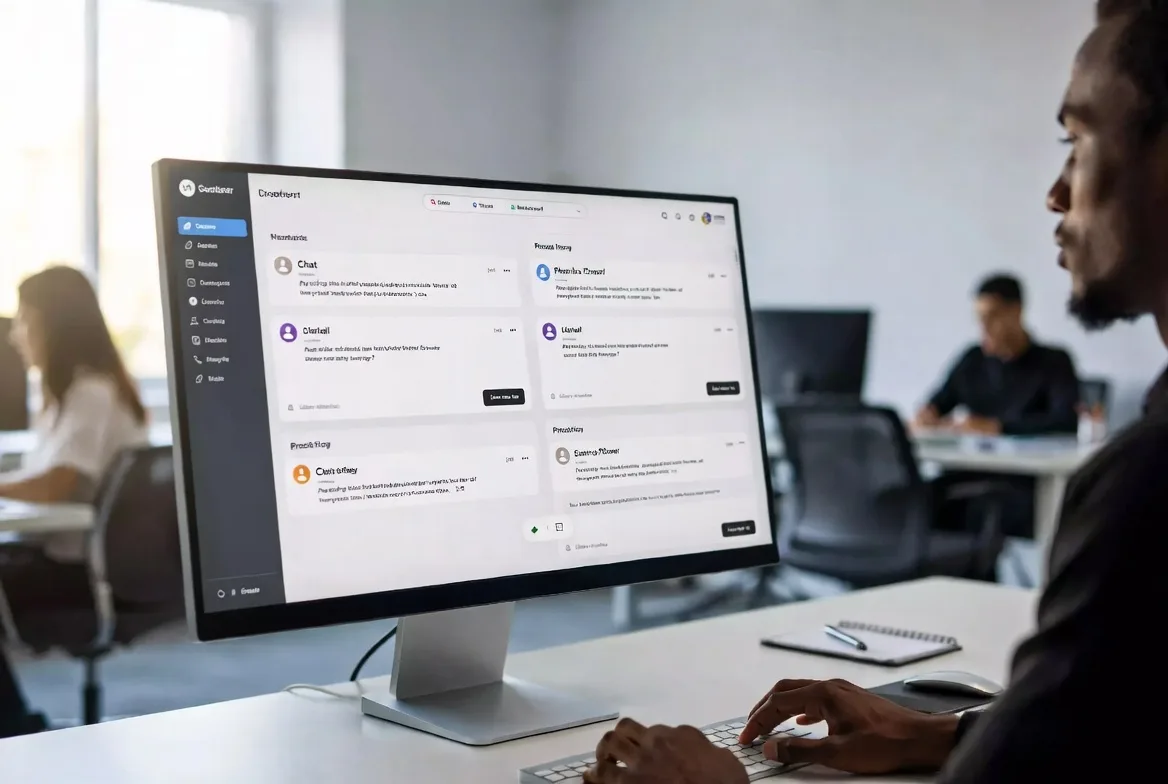
Knowledge base linking suggests relevant help articles to agents as they type responses. The best implementations also offer self-service portals where customers search documentation before submitting tickets, reducing volume by 20-40% for companies with comprehensive knowledge bases.
SLA management defines response and resolution time targets by priority level or customer segment. The system alerts supervisors when tickets approach deadline violations and generates compliance reports showing what percentage of tickets met SLA commitments. Enterprise contracts often include financial penalties for SLA breaches, making this feature business-critical.
Reporting and analytics track metrics like average first response time, mean time to resolution, tickets per agent, customer satisfaction scores, and resolution rate by category. Trend analysis reveals whether support volume is growing faster than your team, which product areas generate the most tickets, and which agents consistently exceed performance targets.
Collaboration tools let multiple agents work on complex tickets without stepping on each other’s toes. Internal notes, @mentions, ticket watching, and escalation paths ensure the right expertise gets applied to each problem. Some platforms include video call integration or screen-sharing directly within the ticket interface.
Custom fields and forms capture industry-specific information. A medical device company might require serial numbers and installation dates. A SaaS platform could collect browser version and account tier. Structured data makes tickets easier to categorize and report on.
Automation and macros handle repetitive tasks. Canned responses for common questions, automatic tagging based on keywords, escalation rules for aging tickets, and satisfaction surveys sent after ticket closure all run without manual intervention.
Benefits of Using Customer Ticket Management Software
Organized customer ticket management delivers measurable improvements across multiple dimensions.
Faster response times result from better visibility. Instead of customers wondering whether their email disappeared into the void, they receive immediate confirmation with a ticket number. Agents see exactly which tickets need attention and can prioritize accordingly. Companies typically see first-response times drop 30-50% within weeks of implementing ticketing systems.
Accountability increases when every ticket has a clear owner and timestamp trail. Managers can identify bottlenecks—is one agent consistently slower than peers, or does a specific issue category always take longer to resolve? Customers can reference ticket numbers when following up instead of re-explaining their problem to different agents.
Data-driven insights replace guesswork. You’ll know which features cause the most confusion, which documentation gaps create repeat questions, and whether your team size matches support volume. One mid-sized SaaS company discovered that 60% of their tickets involved a single confusing onboarding step; fixing that UI reduced monthly ticket volume by 800.
Customer satisfaction improves when people receive consistent, timely responses. Tickets don’t fall through cracks. Agents access full conversation history and avoid asking customers to repeat information. Post-resolution surveys typically show 15-25 point increases in satisfaction scores after ticketing system adoption.
Team efficiency grows as agents spend less time searching for information and more time solving problems. Collaboration features mean junior agents can quickly escalate to specialists instead of struggling alone. Knowledge base integration surfaces solutions faster than manual searching.
The difference between ad-hoc support and systematic ticket management is the difference between hoping you’re delivering good service and knowing you are. Ticketing systems transform customer support from a cost center into a strategic asset that directly impacts retention and revenue.
Marcus Chen, VP of Customer Experience, Zenith Solutions
How to Choose Customer Service Ticketing Software
The right platform depends on your specific situation. A three-person startup has different needs than a 500-agent contact center.
Business size determines complexity requirements. Small teams (under 10 agents) benefit from simple, affordable platforms with quick setup and minimal training curves. Mid-market companies (10-100 agents) need more sophisticated routing, reporting, and integration capabilities. Enterprises require advanced features like multi-brand support, extensive customization, and dedicated account management.
Integration requirements matter more than most teams initially realize. Your ticketing system should connect with your CRM to display customer purchase history, sync with your billing platform to verify subscription status, and integrate with your project management tools when tickets reveal product bugs. Pre-built integrations save months of custom development work.
Scalability prevents painful migrations later. A system that works beautifully for 1,000 monthly tickets might collapse under 10,000. Check whether pricing scales linearly or includes volume tiers. Ask vendors about their largest customer deployments and performance benchmarks.
Pricing models vary widely. Per-agent monthly subscriptions are common, typically ranging from $15-$150 per agent depending on feature tier. Some vendors charge by ticket volume instead. Others offer unlimited agents but limit features or channels. Calculate total cost including implementation, training, integrations, and ongoing customization—not just license fees.
Implementation complexity ranges from “sign up and start using it in an hour” to “six-month deployment with dedicated consultants.” Cloud-based systems generally deploy faster than on-premise installations. Consider whether you have IT resources for complex setups or need turnkey solutions.

| Deployment Type | Cost | Maintenance | Scalability | Security Control | Implementation Time |
|---|---|---|---|---|---|
| Cloud-based | Low upfront, subscription-based | Vendor-managed updates | Highly scalable, instant capacity | Vendor-managed, compliance certifications | Days to weeks |
| On-premise | High upfront license + hardware | Internal IT team required | Limited by infrastructure | Full internal control | Months |
| Hybrid | Moderate, mixed model | Shared responsibility | Flexible, customizable | Balanced approach | Weeks to months |
Common Customer Service Ticketing Mistakes to Avoid
Even good systems fail when implemented poorly. Watch for these pitfalls.
Poor categorization undermines reporting and routing. Teams often start with vague categories like “Technical Issue” and “Billing Question” that don’t provide actionable insights. Build a taxonomy specific enough to reveal patterns—”Login Failure – Password Reset,” “Login Failure – Account Locked,” and “Login Failure – SSO Error” tell you much more than a generic “Login Problem” bucket. Review and refine categories quarterly as your product evolves.
Ignoring automation wastes agent time on mechanical tasks. If agents manually tag every ticket, assign priority levels, or copy-paste the same response to common questions, you’re not using your system’s capabilities. Start with simple automations—auto-tagging tickets from specific email addresses, escalating tickets that haven’t received a response in four hours, or sending satisfaction surveys after closure—then expand as you identify more opportunities.
Lack of SLA enforcement turns commitments into suggestions. Defining response time targets means nothing if you don’t monitor compliance and address violations. Set up alerts for approaching deadlines, review SLA reports weekly, and investigate root causes when teams consistently miss targets. Sometimes the solution is more staff; other times it’s better prioritization or process improvements.
Inadequate agent training leaves teams underutilizing the platform. Agents who don’t understand macros will type the same response 20 times daily. Those unfamiliar with advanced search will waste time scrolling through ticket lists. Invest in comprehensive onboarding and ongoing training as you add features or change workflows.
Not tracking metrics means flying blind. Too many teams implement ticketing systems but never look at the data. Establish baseline metrics before launch, then monitor trends monthly. Which numbers are improving? Which are degrading? What changed when metrics shifted? Metrics without analysis are just numbers; analysis without action is just conversation.
FAQs
The terms are often used interchangeably, but help desk software typically includes broader IT service management features like asset tracking, change management, and incident management following ITIL frameworks. Ticketing systems focus specifically on capturing and resolving customer support requests. Many modern platforms blur this distinction by offering both capabilities in modular packages.
Absolutely. Even solo entrepreneurs handling 10-20 support requests weekly gain value from organized tracking and customer communication history. Small teams avoid the “who’s handling this?” confusion and prevent duplicate responses. Many platforms offer free tiers or very affordable starter plans designed specifically for small businesses. The efficiency gains usually justify the cost once you’re handling more than 5-10 tickets daily.
This depends on priority level and your SLA commitments. A reasonable baseline: high-priority tickets escalate after 4 hours without response, medium priority after 24 hours, low priority after 72 hours. Adjust based on your staffing model and customer expectations. B2B enterprise support often has tighter windows than B2C consumer support. Track escalation rates—if more than 10-15% of tickets require escalation, you likely have a routing, training, or capacity problem.
Most established ticketing platforms offer native integrations or API connections with major CRM systems like Salesforce, HubSpot, Microsoft Dynamics, and Zoho. These integrations typically sync customer contact information, display purchase history within tickets, and log support interactions in the CRM timeline. The depth of integration varies—some are simple data syncs while others enable bi-directional updates and workflow automation across both systems.
A customer service ticketing system transforms support from a reactive scramble into a strategic operation. By centralizing requests, automating routine decisions, and providing visibility into team performance, these platforms help you deliver faster, more consistent service while gathering data that drives product and process improvements.
The right system depends on your size, complexity, and growth trajectory. Small teams need simplicity and affordability; large operations require sophisticated routing, reporting, and customization. Regardless of scale, the core value remains the same: no customer falls through the cracks, every agent knows their priorities, and management has the metrics to make informed decisions.
Implementation success requires more than software selection. Invest time in proper categorization, build automation gradually, train your team thoroughly, and actually use the data your system generates. The companies that see the biggest impact treat ticketing systems not as glorified inboxes but as central nervous systems for customer relationships—capturing every interaction, learning from patterns, and continuously improving the experience they deliver.