
Agencies lose an average of 12 hours per week chasing client feedback through scattered email threads, text messages, and impromptu phone calls. When project files live in one place, approvals happen in another, and conversations scatter across multiple channels, even the most organized teams struggle to maintain momentum.
Client collaboration software solves this fragmentation by creating a dedicated digital workspace where agencies and their clients can communicate, share files, track project progress, and manage approvals—all in one centralized location. For service businesses managing multiple clients simultaneously, these platforms have become essential infrastructure rather than optional tools.
What Is Client Collaboration Software
Client collaboration software is a specialized category of digital platforms designed specifically for external communication and project coordination between service providers and their clients. Unlike internal team collaboration tools such as Slack or Microsoft Teams, these systems prioritize the client experience with simplified interfaces, granular permission controls, and features that maintain professional boundaries while fostering productive working relationships.
The fundamental difference lies in access architecture. Internal tools assume everyone has similar technical proficiency and organizational context. Client collaboration software, by contrast, accommodates users with varying technical skills who need limited, role-specific access to information. A client reviewing creative concepts shouldn’t navigate through your agency’s entire project pipeline or internal discussions.
Agencies, consultancies, law firms, accounting practices, marketing teams, and creative studios represent the primary users. These businesses share a common challenge: they manage multiple concurrent client relationships, each requiring document exchange, feedback cycles, approval workflows, and ongoing communication. A mid-sized agency might juggle 15-30 active client projects simultaneously, each generating dozens of touchpoints weekly.
The external collaboration platform category emerged as agencies recognized that forwarding files through email and managing feedback in reply threads created version control nightmares, buried critical information, and projected an unpolished client experience. When a client asks “Where’s that revised logo you sent last week?” and your team searches through 200 emails, you’ve lost billable time and damaged confidence in your organizational competence.
Key Features of Client Portal Software
Effective client portal software combines several core capabilities that address the specific friction points in agency-client relationships.
Centralized file sharing and storage form the foundation. Clients need one reliable location to find the latest deliverables, reference materials, and project documentation. The system should handle version control automatically—when you upload “Homepage_Design_v4.pdf,” clients see the current version without confusion about which file represents the most recent iteration. Advanced platforms organize files by project phase, deliverable type, or custom taxonomies that match your workflow.
Project and task visibility keeps everyone aligned on status, deadlines, and next steps. Clients can view what’s in progress, what’s awaiting their input, and what’s completed without requesting status updates. This transparency reduces “Where are we on this?” emails by roughly 40-50% in most implementations. The client file sharing portal should display this information clearly without exposing internal task details like time tracking or profit margins.
Structured communication channels replace email chaos. Instead of conversations fragmenting across dozens of threads, discussions happen in context—attached to specific deliverables, tasks, or project phases. When a client comments on a design mockup, that feedback lives with the file permanently, accessible to anyone who needs context later. Message threading, @mentions, and notification controls ensure important communications don’t get lost.
Permission and access management allows precise control over what each client contact sees. Your primary client contact might access everything, while their legal reviewer sees only contracts, and their marketing coordinator views only campaign assets. This granularity prevents information overload and maintains confidentiality when multiple stakeholders participate.
White-labeling and branding customization lets agencies present the portal as an extension of their own brand rather than obviously third-party software. Custom domains (portal.youragency.com), logo placement, color schemes, and even custom email notifications create a cohesive brand experience. For agencies where perception matters significantly, this feature justifies premium pricing.
Integration capabilities connect the client collaboration tools with your existing operational systems. Calendar sync ensures deadlines appear in everyone’s schedule. CRM integration maintains a unified client record. Accounting software connections can trigger invoices when deliverables get approved. The platform becomes a hub rather than another isolated silo.

How Client Collaboration Tools Improve Agency Workflows
The operational improvements from implementing agency client management tools extend beyond simple convenience into measurable efficiency gains and relationship quality improvements.
Email volume reduction typically reaches 50-70% for client communication within three months of adoption. Instead of forwarding files, writing status updates, or clarifying which version someone’s reviewing, these exchanges happen in the portal automatically. Your team reclaims hours previously spent managing inbox chaos. One 12-person creative agency calculated they recovered 18 collective hours weekly—nearly half a full-time employee’s capacity.
Approval cycle acceleration addresses one of the most persistent agency frustrations. When clients must review deliverables, traditional email workflows introduce delays: the email gets buried, the attachment doesn’t open on mobile, the response goes to one team member who’s out of office. Client project portals streamline this with explicit approval workflows, deadline reminders, and mobile-friendly review interfaces. Approval times commonly compress by 30-40%.
Client satisfaction and perceived professionalism improve noticeably. Clients appreciate having one organized location for everything related to their project rather than searching email or requesting re-sends. The transparency into project status reduces anxiety about whether work is progressing. Post-project surveys consistently show higher satisfaction scores from clients who worked through portals versus traditional communication methods.
Onboarding efficiency for new team members or client contacts accelerates when project history lives in a structured system. A new account manager can review the complete client relationship in hours rather than days. When clients add stakeholders mid-project, those people access all previous context immediately instead of requiring lengthy catch-up meetings.
Reduced risk of miscommunication occurs because information lives in context with clear timestamps and attribution. When disputes arise about scope or agreed deliverables, the portal provides a definitive record. This documentation protects both parties and resolves disagreements quickly.
The compound effect of these improvements changes agency economics. Teams complete more projects with the same headcount, client retention improves, and referral rates increase because the experience feels more professional and organized than competitors still operating through email.

Types of Client-Facing Collaboration Platforms
The client-facing collaboration platform landscape includes several distinct categories, each optimized for different agency models and needs.
Standalone client portals focus exclusively on the client collaboration use case. These platforms do one thing comprehensively: create organized client workspaces. They typically offer the most polished client experience and most extensive permission controls because they’re not balancing internal team features. Agencies using separate project management tools internally often prefer this approach—they maintain their existing operational systems while adding a client-facing layer. Pricing usually ranges from $30-100 per user monthly, with some charging per client workspace instead.
All-in-one agency management platforms combine client collaboration with internal project management, time tracking, resource planning, and often invoicing. These systems promise to run your entire agency from one platform. The advantage is unified data—time entries connect to tasks, which link to client invoices, which relate to project profitability. The trade-off involves complexity and potentially compromised client experience since the interface serves multiple purposes. These platforms typically cost $50-200 per user monthly with higher minimums.
White-label solutions provide the infrastructure for agencies to offer client portals under their own branding as if they built the software themselves. The platform becomes invisible—clients perceive they’re using your proprietary system. This approach works particularly well for agencies selling ongoing services where the portal becomes part of the product differentiation. Pricing models vary widely, from $200-1000+ monthly depending on client volume and customization depth.
Project-based platforms organize around discrete projects rather than ongoing client relationships. Each project gets a workspace that dissolves after completion. This structure suits agencies handling one-off engagements rather than retainer relationships. Construction firms, event planners, and agencies doing campaign-based work often prefer this model. Pricing frequently follows per-project fees ($20-50 per project) rather than monthly subscriptions.
Industry-specific solutions have emerged for sectors with unique requirements—legal matter management, accounting client portals, healthcare patient collaboration, and real estate transaction platforms. These include compliance features, industry terminology, and workflows matching sector norms. Agencies serving primarily one industry should evaluate these specialized options before defaulting to generic platforms.
| Platform Type | Best For | Typical Pricing | Customization | Learning Curve |
|---|---|---|---|---|
| Standalone Portal | Agencies with existing PM tools | $30-100/user/month | Moderate branding options | Low – focused feature set |
| All-in-One Agency Platform | Teams wanting unified operations | $50-200/user/month | Limited – standardized workflows | High – many features to master |
| White-Label Solution | Agencies differentiating on client experience | $200-1000+/month flat | Extensive – your brand throughout | Moderate – setup intensive |
| Project-Based Platform | One-off engagements, campaign work | $20-50/project | Minimal – project templates | Low – simple project focus |
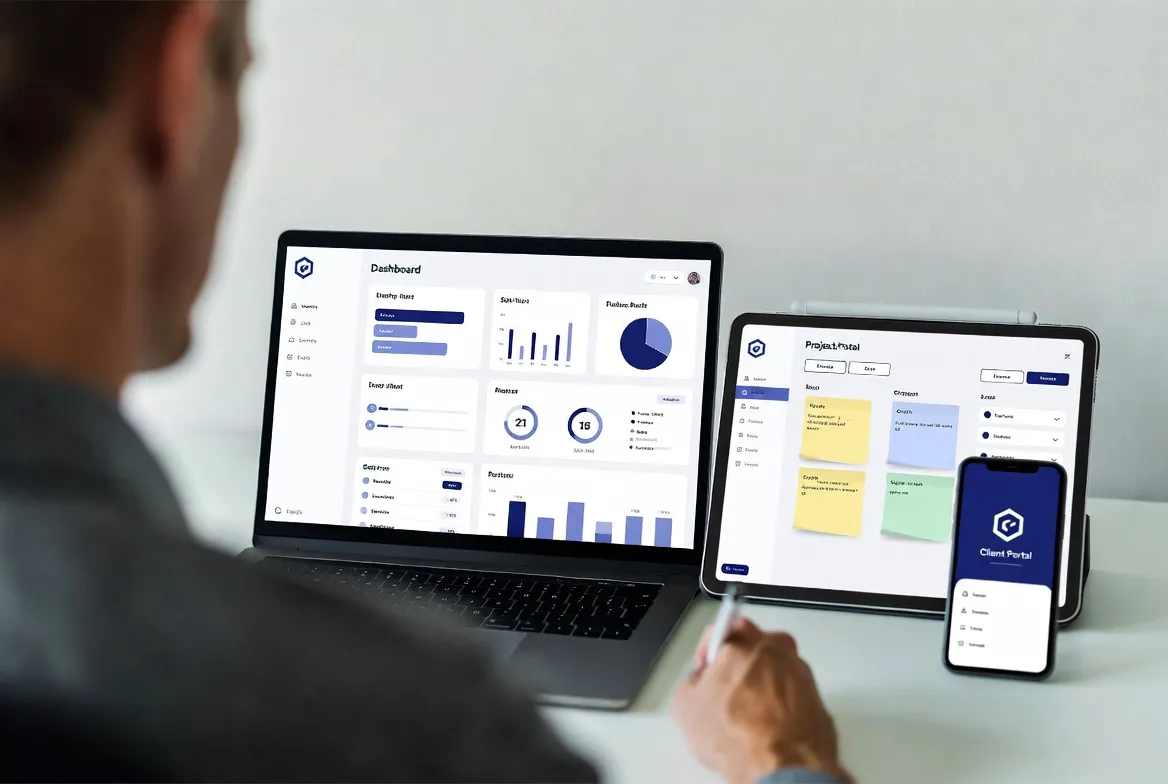
How to Choose the Right External Collaboration Platform
Selecting the appropriate external collaboration platform requires evaluating several dimensions beyond feature checklists.
Client experience quality should dominate decision-making because your clients interact with this system directly. Request demo accounts and have non-technical colleagues (or actual clients if possible) test the interface. Can someone unfamiliar with the platform find files, leave feedback, and approve deliverables without guidance? If your clients skew less technical, prioritize simplicity over feature depth. One agency switched platforms after realizing their sophisticated choice intimidated clients who then reverted to email.
Security and compliance requirements vary by industry and client type. Agencies handling healthcare information need HIPAA compliance. Those serving financial services clients require SOC 2 certification and encryption standards. European clients may mandate GDPR-compliant data handling. Verify the platform meets your specific requirements before investing implementation time. Security questionnaires from enterprise clients will eventually ask detailed questions about your collaboration tools.
Scalability considerations matter more than most agencies initially recognize. A platform perfect for 10 clients may become unwieldy at 50. Evaluate pricing structures carefully—per-user fees multiply quickly, while per-client pricing might scale more favorably. Consider whether the system handles the complexity you’ll face in two years, not just current needs. Switching platforms after building client habits around one system creates significant disruption.
Mobile accessibility has shifted from nice-to-have to essential. Clients review deliverables during commutes, approve invoices from coffee shops, and provide feedback from airports. If the mobile experience feels clunky or limits functionality, you’ve created friction in the approval process. Test the mobile app or responsive web interface thoroughly with real-world scenarios.
Implementation and onboarding support determines whether adoption succeeds or the platform becomes shelfware. Does the vendor provide migration assistance, training resources, and responsive support? Agencies often underestimate the change management challenge—getting your team to shift habits and convincing clients to adopt a new system requires more than just purchasing software. Vendors offering dedicated onboarding specialists or agency-specific training improve success rates significantly.
Integration ecosystem should align with your existing tools. If you’ve invested heavily in a particular project management system, CRM, or accounting platform, verify robust integrations exist. Native integrations typically work more reliably than third-party connectors through Zapier or similar services. Missing integrations create manual data entry that erodes efficiency gains.
Pricing model sustainability requires honest assessment of your agency growth trajectory. Some platforms start affordable but become expensive as you scale. Others have higher entry costs but better economics at volume. Calculate total cost at your current size, at 50% growth, and at double your current client count to understand long-term implications.
Request trials of 2-3 finalists and run a small pilot with one or two understanding clients before committing. Real-world testing reveals usability issues and workflow mismatches that demos never expose.
Common Mistakes When Implementing Client Project Portals
Even excellent agency client workspace platforms fail when implementation goes wrong. These mistakes appear repeatedly across agency types.
Overcomplicating the initial setup kills momentum before clients experience any benefits. Agencies often want to configure every feature, create elaborate folder structures, and build comprehensive templates before inviting anyone. This perfectionism delays launch by weeks or months. Instead, start with basic functionality for one client or project. Learn what actually matters through use, then expand configuration based on real needs rather than imagined requirements.
Inadequate client onboarding assumes people will intuitively understand the new system. They won’t. Even simple platforms require explanation of where to find files, how to leave feedback, and what notifications mean. Create a brief welcome video (2-3 minutes) showing the three most important actions clients will take. Schedule a 15-minute walkthrough call for new clients rather than just sending login credentials. The five hours invested in proper onboarding prevents fifty hours of confusion and support questions.
Inconsistent internal adoption undermines the entire initiative. If half your team uses the portal while others continue emailing files and updates, clients receive mixed signals and revert to old habits. Require that all client-facing communication and file sharing happen through the portal. Make this a firm operational policy, not a suggestion. One agency implemented a simple rule: if it’s not in the portal, it doesn’t exist for project purposes.
Ignoring client feedback about the platform experience represents a critical missed opportunity. After clients use the system for a few weeks, ask what’s confusing, what’s helpful, and what’s missing. Some clients will have legitimate usability concerns you can address through configuration changes or by providing additional guidance. Others might reveal that certain features you spent time setting up provide no value. This feedback loop dramatically improves adoption rates.
Failing to maintain the system as an organized, current resource turns the portal into another cluttered mess that replicates email problems. Establish clear protocols: archive completed projects, delete outdated files, update status information regularly. Assign responsibility for portal maintenance just as you would for any other operational system. A neglected portal becomes worse than email because it creates the illusion of organization while hiding information in digital clutter.
Underestimating the change management challenge leads to disappointment when adoption lags. Changing established communication patterns requires sustained effort, not just a launch announcement. Expect 4-8 weeks before new habits solidify. During this transition, you’ll need to redirect email conversations to the portal, remind people to check notifications, and demonstrate value repeatedly. Agencies that persist through this adjustment period see adoption rates above 80%, while those expecting immediate acceptance often abandon the initiative.
Implementing a client collaboration platform reduced our email volume by 60% and improved project approval times significantly. More importantly, clients consistently mention the portal in testimonials as something that sets us apart from other agencies they’ve worked with. It’s become a competitive advantage we didn’t anticipate when we first adopted it.
Marcus Chen, Managing Director, Velocity Digital Agency
FAQs
Project management software focuses on internal team coordination—task assignments, resource allocation, time tracking, and workflow automation for people within your organization. Client collaboration software prioritizes the external relationship—creating a simplified, permission-controlled environment where clients can participate in projects without accessing internal operations. Many agencies use both: project management tools for internal work and client portals for external communication. Some all-in-one platforms attempt to serve both purposes, though they typically compromise on one side or the other.
This depends on the platform and your security requirements. Some systems offer guest access where clients receive time-limited links to view or approve specific items without logging in. This reduces friction for clients who participate infrequently. However, full portal functionality—commenting, uploading files, viewing project history—typically requires account creation. Most modern platforms have simplified this to single sign-on options or one-click account setup that takes under 30 seconds. For agencies handling sensitive information, requiring authenticated accounts provides better security and audit trails than anonymous guest access.
Most modern client collaboration tools require no coding or advanced technical knowledge. Setup typically involves: configuring your branding, creating folder structures or project templates, inviting team members, and establishing permission defaults. This takes a few hours for someone comfortable with standard business software. The learning curve resembles adopting a new CRM or email marketing platform rather than building a website. Vendors usually provide setup guides, video tutorials, and support during onboarding. If you can manage Google Workspace or Microsoft 365 for your agency, you can configure a client portal. White-label solutions may require more technical setup initially but still don’t demand programming skills.
Integration capabilities vary widely between platforms. Most established client collaboration tools offer native integrations with popular project management software (Asana, Monday, ClickUp), CRMs (HubSpot, Salesforce), cloud storage (Google Drive, Dropbox), and accounting systems (QuickBooks, Xero). Many also provide Zapier or Make connections enabling integration with thousands of additional tools. Before committing to a platform, verify specific integrations with your critical systems work as needed—some integrations only sync in one direction or have limitations on what data transfers. Request a trial period to test integrations with your actual tools rather than relying on vendor claims.
Client collaboration software has evolved from a luxury differentiator to operational infrastructure for agencies serious about scaling efficiently while maintaining service quality. The fragmentation of client communication across email, messages, and ad hoc file sharing creates hidden costs—lost time, missed deadlines, frustrated clients, and team members spending hours on coordination instead of billable work.
The right external collaboration platform consolidates these scattered touchpoints into organized workspaces where projects progress smoothly, information stays accessible, and clients feel confident in your professionalism. Implementation requires more than just purchasing software—you need thoughtful onboarding, consistent internal adoption, and genuine commitment to changing established communication patterns.
Start by evaluating your current client communication pain points specifically. Which problems cost you the most time or create the most friction? Match those needs against platform capabilities rather than chasing feature lists. Test finalists with real projects and actual clients before making final decisions.
The agencies seeing the most significant returns from client collaboration tools share a common approach: they implement deliberately, train thoroughly, and maintain the system as a core operational priority rather than an optional convenience. When executed well, these platforms don’t just improve efficiency—they transform client relationships and create breathing room for growth without proportional increases in coordination overhead.