
Businesses across the United States are fundamentally changing how work gets done. Repetitive tasks that once consumed hours of employee time now run automatically, decisions that required multiple approvals happen in seconds, and workflows that spanned days complete in minutes. This shift stems from AI automation in the workplace—technology that combines artificial intelligence with automation to handle complex business processes without constant human intervention.
Unlike the automation of previous decades, which followed rigid rules and broke down when encountering unexpected situations, modern AI systems adapt to new scenarios, learn from patterns, and make judgment calls. A customer service chatbot doesn’t just match keywords to canned responses; it understands context, sentiment, and intent. An invoice processing system doesn’t just extract numbers; it flags anomalies, cross-references purchase orders, and routes exceptions to the right person.
The practical impact shows up in metrics: companies implementing workplace automation AI report processing invoices 80% faster, resolving customer inquiries with 60% less human involvement, and reducing data entry errors by 95%. But the technology also introduces new challenges around implementation costs, employee training, and knowing which processes benefit from automation versus those that still need the human touch.
What Is AI Automation in the Workplace
AI automation in the workplace refers to systems that use artificial intelligence to perform tasks, make decisions, and complete workflows with minimal human supervision. These systems go beyond traditional automation by handling unstructured data, adapting to variations, and improving performance over time through machine learning.
Traditional automation follows explicit instructions: “If field A contains X, then route to department Y.” It works well for standardized, repetitive tasks but fails when encountering exceptions or variations. A traditional automated system might reject a slightly misformatted invoice, requiring manual intervention.
Artificial intelligence automation operates differently. It recognizes patterns, interprets context, and handles variability. That same invoice system powered by AI can read invoices from hundreds of vendors with different formats, extract relevant data despite layout variations, and flag potential issues based on historical spending patterns—all without being explicitly programmed for each vendor’s format.
Intelligent automation combines multiple AI technologies: machine learning algorithms that improve with experience, natural language processing that understands human communication, computer vision that interprets images and documents, and decision engines that apply business rules with contextual awareness. A recruitment system using intelligent automation might screen resumes, schedule interviews based on calendar availability, send personalized communications to candidates, and predict which applicants are most likely to succeed—adapting its criteria based on which past hires performed well.
The distinction matters for implementation. Traditional automation delivers predictable results for well-defined processes. AI automation handles complexity and variation but requires training data, ongoing monitoring, and acceptance that decisions won’t always be 100% accurate.

How AI Automation Works in Business Operations
AI workflow automation systems rely on several core technologies working together. Machine learning algorithms analyze historical data to identify patterns and make predictions. A system might examine thousands of past customer support tickets to learn which issues require human expertise versus those it can resolve automatically.
Natural language processing enables systems to understand and generate human language. When an employee emails a request to the IT help desk, NLP extracts the intent (“reset password,” “software access,” “equipment request”) and routes it appropriately or triggers an automated resolution.
Computer vision allows systems to interpret visual information. Invoice processing tools use this capability to extract data from scanned documents regardless of format. Quality control systems in manufacturing examine product images to detect defects that would take human inspectors significantly longer to identify.
Decision engines apply business logic while considering context. An AI process automation system handling expense approvals doesn’t just check if amounts exceed thresholds—it considers the employee’s role, project budgets, spending history, and policy exceptions before approving, flagging, or rejecting.
RPA and AI Automation Combined
Robotic process automation (RPA) executes rule-based tasks by mimicking human interactions with software interfaces. An RPA bot might log into multiple systems, copy data between applications, and generate reports—following the exact steps a person would take.
RPA and AI automation together create more powerful solutions. RPA provides the “hands” that interact with existing systems, while AI provides the “brain” that handles judgment calls and unstructured data. A combined system might use AI to read and interpret customer emails, then use RPA to update multiple backend systems, generate responses, and create follow-up tasks—completing an entire workflow that previously required human intervention at multiple points.
The hybrid approach solves a common problem: many businesses run on legacy systems that lack APIs or modern integration capabilities. RPA bridges these gaps without requiring expensive system replacements, while AI adds intelligence that pure RPA lacks.

AI Workflow Automation Systems
Modern AI workflow automation platforms orchestrate complex processes across departments and systems. These platforms map out multi-step workflows, define decision points, integrate with existing tools, and provide visibility into process performance.
A contract approval workflow might automatically route documents based on contract value and type, extract key terms using AI, check for compliance issues, send reminders to approvers, escalate delays, and archive completed contracts—all while maintaining an audit trail. The system learns from past approvals to predict bottlenecks and suggest process improvements.
These platforms typically offer low-code or no-code interfaces, allowing business users to design and modify workflows without extensive programming knowledge. A marketing manager can build an automation that triggers personalized email sequences based on prospect behavior, updates the CRM, and notifies sales when leads reach certain engagement thresholds.
Types of AI Automation Tools for Business
AI automation tools span multiple categories based on the business functions they address:
Document processing tools use AI to extract, classify, and route information from documents. These systems handle invoices, contracts, forms, receipts, and other business documents—reading various formats, extracting relevant data, validating information, and integrating with downstream systems. They reduce manual data entry from hours to minutes while improving accuracy.
Customer service automation includes chatbots, virtual agents, and automated ticketing systems. These tools handle common inquiries, route complex issues to appropriate specialists, provide 24/7 support availability, and collect customer information before human agents get involved. Advanced systems detect customer sentiment and escalate frustrated customers to human representatives.
Data analysis and reporting tools automatically gather data from multiple sources, identify trends, generate insights, and create visualized reports. Marketing teams use these to analyze campaign performance across channels. Finance teams automate monthly reporting that previously required days of manual work.
Scheduling and coordination tools manage calendars, book meetings considering multiple participants’ availability and preferences, send reminders, and reschedule when conflicts arise. They eliminate the email chains typically required to coordinate meetings across teams or with external parties.
Sales and marketing automation platforms score leads based on behavior and demographics, trigger personalized communications, nurture prospects through multi-touch campaigns, and alert sales teams when prospects show buying signals. These systems track engagement across email, website visits, content downloads, and social media.
HR and recruitment automation screens resumes against job requirements, schedules interviews, sends candidate communications, manages onboarding workflows, and handles routine HR inquiries about benefits, time off, and policies.
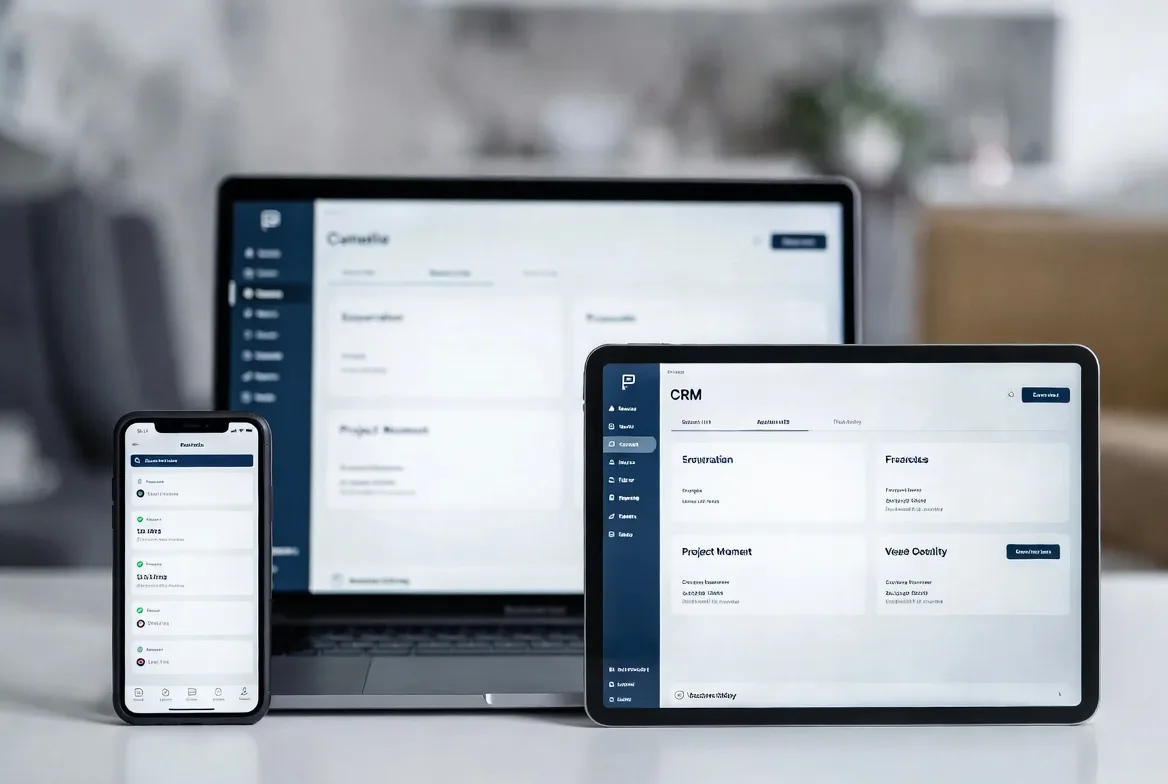
Here’s a comparison of leading AI business automation platforms:
| Tool Name | Primary Function | Pricing Tier | Best For | Integration Capabilities |
|---|---|---|---|---|
| UiPath | RPA with AI capabilities | Enterprise ($$$) | Large organizations automating complex processes | 500+ pre-built connectors, API access |
| Zapier AI | Workflow automation between apps | Starter to Professional ($$) | Small to mid-size businesses connecting cloud tools | 6,000+ app integrations, webhook support |
| Microsoft Power Automate | Process automation within Microsoft ecosystem | Business to Premium ($$) | Organizations using Microsoft 365 | Deep Microsoft integration, 1,000+ connectors |
| Automation Anywhere | Intelligent automation platform | Enterprise ($$$) | Enterprises requiring scalability and governance | Cloud-native, extensive API library |
| Make (formerly Integromat) | Visual workflow automation | Free to Enterprise ($ to $$) | Teams needing flexible, complex automations | 1,500+ apps, HTTP/API modules |
| WorkFusion | AI-powered intelligent automation | Enterprise ($$$) | Financial services and regulated industries | Banking-specific modules, compliance features |
Common AI Process Automation Use Cases by Department
Human Resources departments automate resume screening, matching candidate qualifications against job requirements and ranking applicants. Onboarding workflows automatically provision system access, send welcome materials, schedule orientation sessions, and track completion of required paperwork. Employee inquiry chatbots handle common questions about benefits, PTO balances, and policies—escalating complex issues to HR staff. Performance review systems send reminders, collect feedback from multiple reviewers, and compile results.
Finance teams use workplace automation AI for invoice processing—extracting data from vendor invoices, matching against purchase orders, routing for approval, and scheduling payments. Expense report systems automatically categorize expenses, flag policy violations, verify receipts, and process reimbursements. Month-end close processes that once took weeks now complete in days as systems automatically reconcile accounts, generate journal entries, and produce financial reports.
Marketing departments deploy lead scoring systems that analyze prospect behavior across touchpoints to identify sales-ready leads. Campaign automation triggers personalized email sequences based on user actions, segments audiences dynamically, A/B tests content variations, and measures attribution across channels. Content creation tools generate initial drafts of product descriptions, social media posts, and ad copy—requiring human review and refinement but eliminating the blank-page problem.
Sales teams benefit from automated data entry that captures email communications, meeting notes, and phone calls directly into CRM systems. Pipeline management tools predict deal closure probability based on historical patterns, suggest next actions, and alert managers to at-risk opportunities. Proposal generation systems pull relevant case studies, pricing, and terms based on prospect characteristics—reducing proposal creation time from days to hours.
Customer support organizations implement AI chatbots that resolve common issues like password resets, order status inquiries, and basic troubleshooting. Ticket routing systems analyze incoming requests and direct them to the most qualified agent based on expertise, workload, and past performance. Knowledge base systems suggest relevant articles to both customers and agents, learning which resources best resolve specific issues.
AI automation isn’t about replacing human workers—it’s about eliminating the mundane tasks that prevent them from doing their best work. When we implemented intelligent automation across our operations, employee satisfaction actually increased because people could focus on problem-solving and customer relationships instead of data entry and paperwork.
Jennifer Martinez
How to Implement AI Business Automation
Assess automation opportunities by identifying processes that consume significant time, involve repetitive steps, follow predictable patterns, and don’t require complex human judgment. Don’t start with your most critical or complex processes—choose something important enough to matter but not so essential that failures cause major disruptions. Document current workflows in detail, including exception handling and decision points.
Choose appropriate tools based on your specific needs rather than selecting the most popular or feature-rich platform. A small business connecting cloud applications might need Zapier rather than an enterprise RPA platform. Consider integration requirements with existing systems, technical skills of your team, vendor support quality, and total cost including implementation and ongoing maintenance—not just licensing fees.
Run a pilot program with a limited scope before rolling out broadly. Select one department or process, set clear success metrics (time saved, error reduction, cost per transaction), and establish a timeline of 60-90 days. Involve end users from the beginning—the people currently doing the work often spot issues and opportunities that managers miss. Track both quantitative metrics and qualitative feedback about user experience.
Train staff on both using the automation tools and working alongside them. People need to understand what the system does, when to intervene, how to handle exceptions, and whom to contact when issues arise. Training should be role-specific: end users need different knowledge than administrators managing the platform. Address concerns directly—employees often fear automation threatens their jobs, so communicate how their roles will evolve.
Scale gradually after pilot success. Expand to additional processes or departments incrementally rather than attempting organization-wide implementation simultaneously. Each expansion provides learning opportunities and allows you to refine approaches. Build internal expertise so you’re not entirely dependent on external consultants or vendors. Document configurations, integrations, and customizations thoroughly.
Measure ROI by tracking both hard and soft benefits. Hard benefits include reduced processing time, lower error rates, decreased staffing needs for specific tasks, and faster cycle times. Soft benefits include improved employee satisfaction, better customer experience, increased compliance, and enhanced data quality. Calculate ROI over realistic timeframes—some benefits appear immediately while others emerge over months as systems learn and improve.
Common implementation mistakes include automating broken processes (fix the process first, then automate), underestimating change management requirements (technology is easier than getting people to adopt it), neglecting exception handling (automation works great until it encounters something unexpected), and setting unrealistic expectations (AI isn’t magic and won’t solve every problem).

Challenges and Limitations of Workplace Automation AI
Cost barriers extend beyond software licensing. Implementation requires consulting fees, integration work, employee training, and ongoing maintenance. Enterprise-grade platforms can cost six figures annually before adding implementation expenses. Small businesses often find the upfront investment challenging even when ROI projections look favorable. Hidden costs include data preparation (AI systems need clean, structured data), system integration (connecting automation to existing tools), and opportunity costs (staff time spent on implementation).
Employee resistance emerges from job security concerns, discomfort with new technology, and disruption to established workflows. Workers who’ve performed tasks a certain way for years may resist change even when automation makes their jobs easier. Resistance manifests as passive non-adoption, finding workarounds to avoid using new systems, or actively sabotaging implementation by emphasizing every flaw. Successful adoption requires involving employees early, communicating clearly about how roles will change, and demonstrating genuine commitment to retraining rather than layoffs.
Data privacy and security concerns intensify when AI systems access sensitive customer information, financial data, or proprietary business intelligence. Automated systems that connect multiple platforms potentially create new vulnerability points. Compliance requirements in healthcare, finance, and other regulated industries impose constraints on what can be automated and how data flows between systems. Vendor security practices matter—a breach at your automation platform provider could expose your business data.
Integration complexity arises when connecting AI automation tools to legacy systems, custom applications, or platforms with limited API access. The promise of seamless integration often meets the reality of data format mismatches, authentication challenges, and systems that weren’t designed to work together. Businesses sometimes spend more on integration than on the automation platform itself.
Knowing when NOT to automate proves as important as knowing when to implement AI business automation. Processes requiring empathy, nuanced judgment, or creative problem-solving generally aren’t good automation candidates. Customer situations involving complaints, complex issues, or emotional distress need human handling. Strategic decisions, relationship building, and innovation remain firmly in human territory. Tasks performed infrequently may not justify automation investment. Highly variable processes with many exceptions often cost more to automate than they save.
Automation can also introduce new risks. Systems make mistakes—sometimes in high volume before anyone notices. An incorrectly configured automation might send thousands of wrong invoices, delete important data, or make poor decisions at scale. Unlike human errors that occur individually, automated errors multiply quickly.
FAQs
Entry-level AI automation tools start around $20-50 per month for basic workflow automation between cloud applications. Mid-tier platforms suitable for small businesses typically range from $300-1,000 monthly, covering multiple users and more complex automations. Implementation costs vary widely—simple automations using no-code tools might require only internal staff time, while custom solutions involving integration with existing systems can cost $10,000-50,000. Most small businesses see ROI within 6-12 months when focusing on high-volume, repetitive processes like invoice processing, customer inquiry handling, or data entry.
AI automation typically transforms jobs rather than eliminating them entirely. Employees spend less time on repetitive tasks and more time on judgment-based work, customer relationships, and problem-solving. Some roles evolve significantly—data entry clerks might become data quality analysts, customer service representatives handle complex escalations rather than routine inquiries. Organizations implementing automation usually redeploy workers to higher-value activities rather than conducting layoffs. However, natural attrition may not be backfilled for positions heavily focused on tasks now automated. The job impact depends largely on how leadership approaches implementation—as a tool for employee productivity or purely as a cost-cutting measure.
Simple automations connecting cloud applications often show ROI within weeks—a marketing automation that saves 10 hours weekly pays for itself quickly. More complex implementations involving RPA and AI automation combined typically require 6-12 months to demonstrate positive ROI. Enterprise-wide intelligent automation initiatives may take 18-24 months as organizations work through change management, integration challenges, and process refinement. ROI timelines depend on implementation costs, process volume, labor costs in your market, and how quickly employees adopt new systems. Starting with high-volume, straightforward processes produces faster returns than tackling complex, infrequent workflows.
RPA (robotic process automation) follows explicit rules and mimics human interactions with software—clicking buttons, copying data, filling forms. It excels at repetitive, rule-based tasks but can’t handle variations or make judgment calls. AI automation uses machine learning, natural language processing, and decision-making capabilities to handle unstructured data, adapt to variations, and improve over time. A pure RPA bot might fail when encountering an invoice in a new format, while an AI-powered system would interpret it successfully. Many modern solutions combine both: RPA provides the automation of system interactions while AI handles the intelligence for interpreting data and making decisions.
Security depends on implementation approach and vendor selection. Reputable AI automation platforms employ encryption, access controls, audit logging, and compliance certifications (SOC 2, ISO 27001, GDPR compliance). However, automation introduces risks: systems accessing multiple platforms create potential vulnerability points, automated processes might inadvertently expose data, and vendor breaches could compromise your information. Mitigate risks by choosing vendors with strong security track records, implementing least-privilege access (systems access only the data they need), maintaining audit trails, regularly reviewing automated processes, and ensuring compliance with industry regulations. For highly sensitive data, consider on-premise or private cloud deployments rather than public cloud solutions.
Modern AI automation tools increasingly offer no-code or low-code interfaces designed for business users without programming backgrounds. Platforms like Zapier, Microsoft Power Automate, and Make allow users to build automations through visual interfaces—selecting triggers, actions, and conditions from menus rather than writing code. Marketing managers, HR specialists, and operations coordinators successfully implement workflow automation solving their department’s specific needs. However, complex automations involving multiple systems, custom logic, or integration with legacy applications typically require technical expertise. Most organizations adopt a hybrid approach: business users handle straightforward automations while IT teams tackle complex implementations and maintain governance.
AI automation in the workplace represents a fundamental shift in how businesses operate, moving from manual execution of repetitive tasks to intelligent systems that handle routine work while humans focus on strategy, relationships, and complex problem-solving. The technology has matured beyond experimental pilots to proven implementations delivering measurable results across industries.
Success requires matching automation capabilities to genuine business needs rather than automating for automation’s sake. The most effective implementations start small, prove value, and expand gradually while building internal expertise. Organizations that involve employees in the process, communicate transparently about changes, and invest in training see better adoption and results than those treating automation purely as a technology project.
The competitive landscape increasingly favors businesses that effectively leverage workplace automation AI. Companies that automate invoice processing complete month-end close faster. Those with AI-powered customer service provide 24/7 support without proportional staffing increases. Organizations using intelligent automation for data analysis spot trends and opportunities competitors miss.
The question for most businesses isn’t whether to implement AI business automation but which processes to automate first and how quickly to scale. Starting with clear objectives, realistic expectations, and commitment to ongoing refinement positions organizations to gain the productivity benefits while navigating the inevitable challenges that emerge during implementation.